Update Billing Info
Update your AnyTrack invoice details including company name, address, and phone number from the Usage and Billing section. Changes apply to all future invoices.
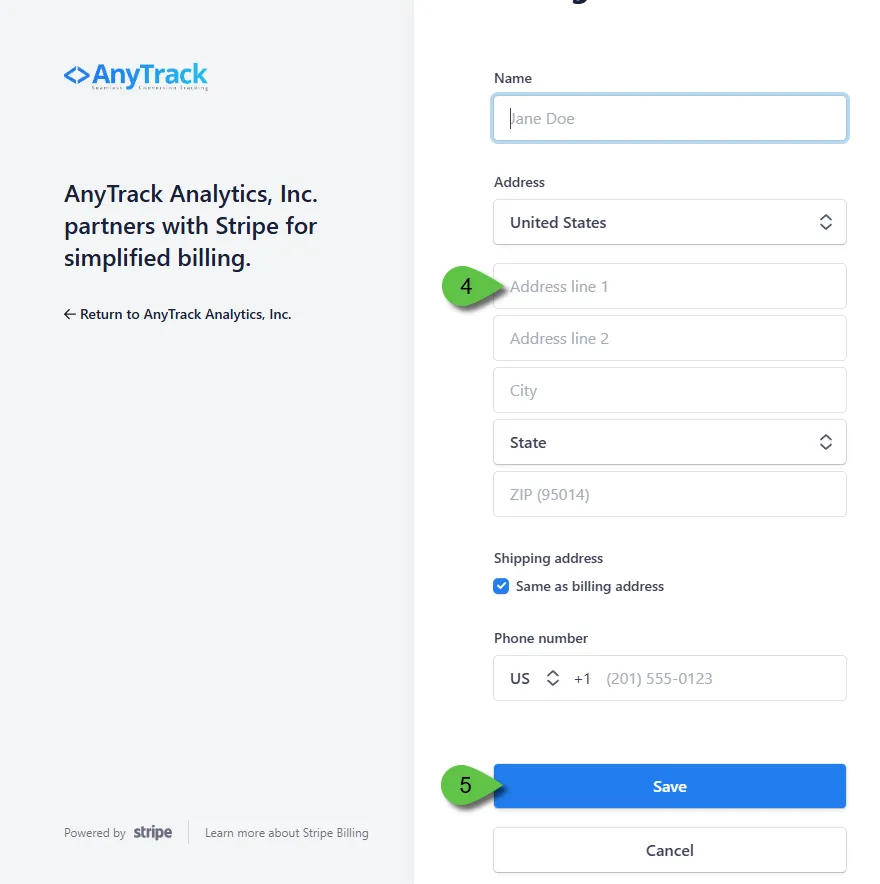
Update your invoice information including name, address, and phone number.
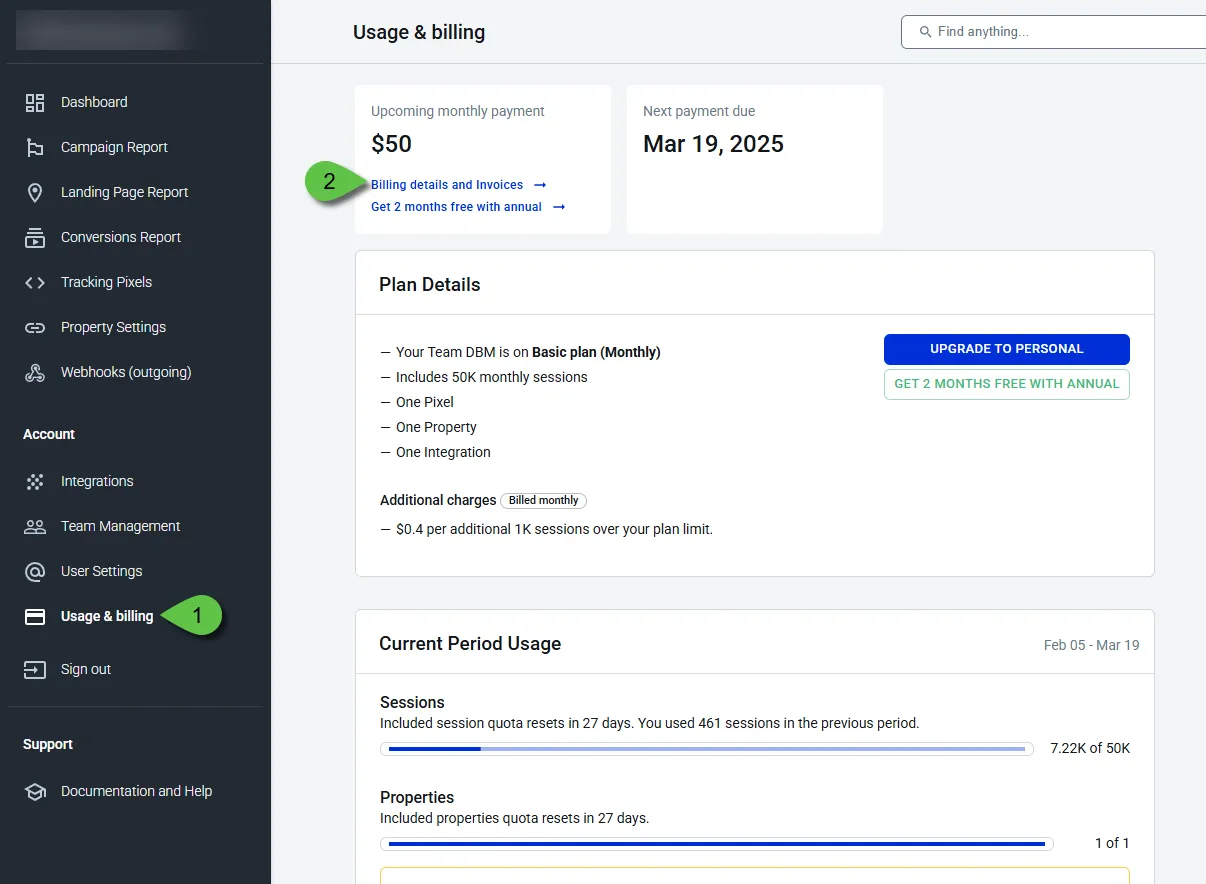
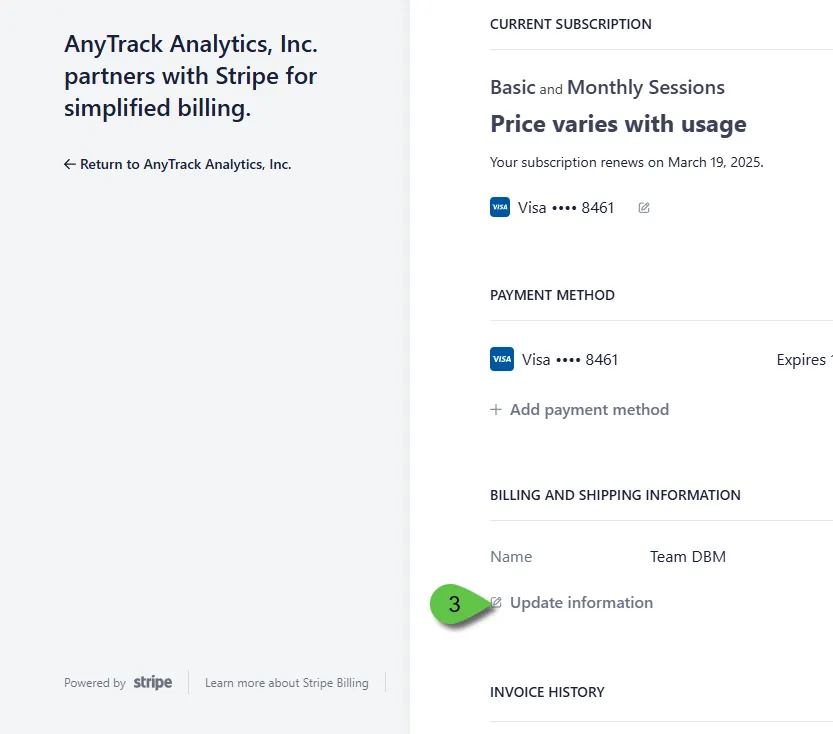
Navigate to Usage and Billing > Billing Details and Invoices > Update Information.
Update your details and select Save.
Your changes apply to all future invoices. Past invoices cannot be updated retroactively.
How to Update Your Invoice Information (With Screenshots)
Section titled “How to Update Your Invoice Information (With Screenshots)”