
Troubleshooting Facebook Ads
Troubleshoot your Facebook Ads integration with AnyTrack. Learn which Meta deduplication warnings you can safely ignore, how to reconnect a disconnected Meta Pixel, fix overreporting of attributed results, and resolve campaigns that do not appear in the Campaign Report.
Meta Pixels send warning notifications. While some are false positives, many indicate setup issues requiring attention.
See Ad Platforms Attribution for the timing details on Meta Events Manager and Ads Manager delays.
Deduplication Warnings You Can Ignore
Section titled “Deduplication Warnings You Can Ignore”Meta deduplication warnings apply when the same event reaches Facebook from both the browser pixel and the server. AnyTrack sends conversions to Facebook exclusively server-side through the Conversion API, so no duplication occurs within your account and no deduplication key is needed. You can safely ignore the warning variants below unless other systems also send data to your Meta Pixel.
- Event missing deduplication parameters
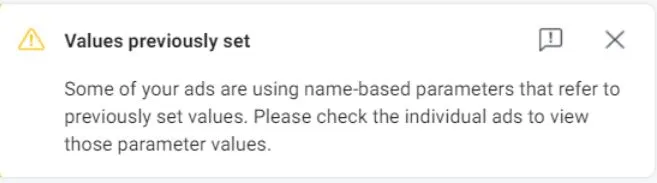
- Values previously set
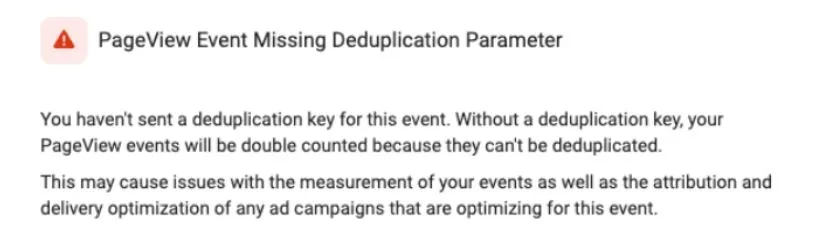
- PageView event missing deduplication parameter
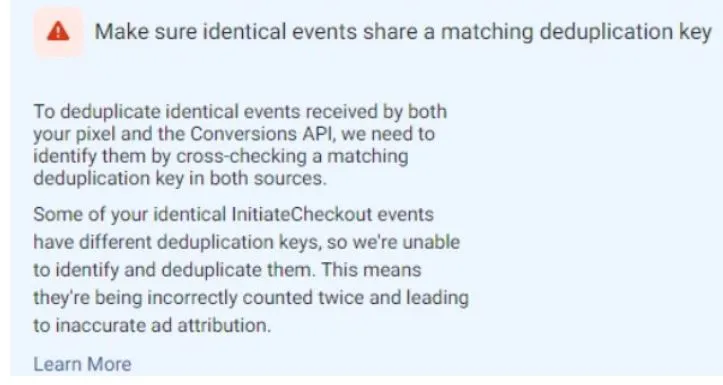
- Make sure identical events share a matching deduplication key
Values Previously Set
Section titled “Values Previously Set”Ignore this warning. It appears when you update your UTM Tracking Template.
PageView Event Missing Deduplication Parameter
Section titled “PageView Event Missing Deduplication Parameter”The PageView event is fired by the base Tracking Tag and is not sent via the Conversion API. It doesn’t need a deduplication key.
Matching Deduplication Keys for Identical Events
Section titled “Matching Deduplication Keys for Identical Events”Disregard these warnings unless other systems send data to Facebook.
Disconnected Meta Pixel
Section titled “Disconnected Meta Pixel”AnyTrack sends an email notification if your Meta Pixel disconnects. This stops AnyTrack from sending conversion data to Facebook.
Common causes:
- Password change (invalidates token)
- Manual token revocation in Facebook Business Manager
- API permission changes
- API updates
- Token expiration
How to fix:
- Go to Tracking Pixels in your AnyTrack dashboard
- Look for a yellow warning indicator on your Meta Pixel
- Click Reconnect and authorize the connection
- Verify that the Conversion API slider is enabled
Overreporting Attributed Results
Section titled “Overreporting Attributed Results”If the Campaign Report shows significantly more Attributed Results than Purchase or Lead events, another system is likely sending events. It could be another tracking software or Meta Pixel code installed directly or through an integration.
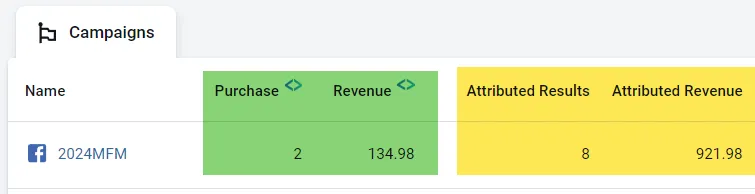
When you install the AnyTrack Tracking Tag and connect your Facebook Ads account, AnyTrack automatically loads the Meta Pixel. Remove any Meta Pixel installed directly on your website to prevent duplicates.
To quickly identify if conversion events are reported by systems other than AnyTrack, navigate to Meta Events Manager and ensure that Integration is not Multiple.
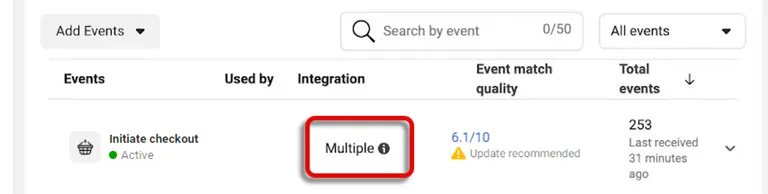
How to fix:
- Check Meta Events Manager for “Multiple” integration status
- Remove any other Meta Pixel installations from your website
- Disable other tracking plugins or integrations sending to Facebook
- Follow this guide to identify systems sending events to Facebook
Campaigns Not Found for Awareness and Traffic Objectives
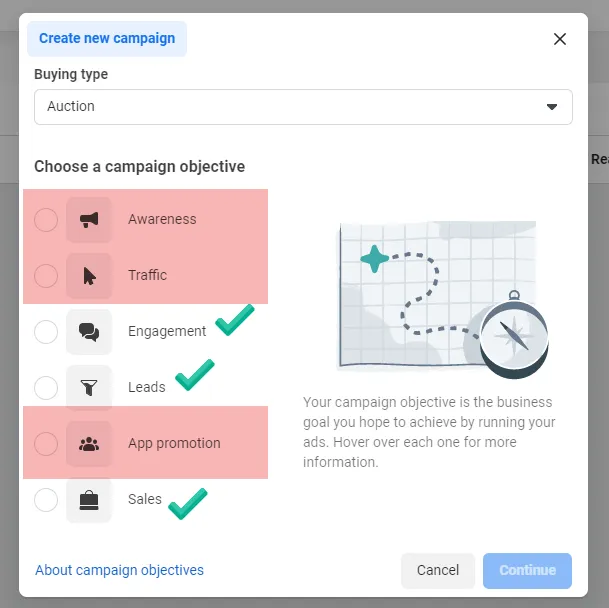
Section titled “Campaigns Not Found for Awareness and Traffic Objectives”The Campaign Report and the Verify Your Ads tool won’t display campaigns without conversion event objectives, such as Awareness and Traffic campaigns.
AnyTrack focuses on conversion tracking, and those types of campaigns don’t generate conversion events. Therefore, it’s normal for those ads not to be found.
However, if those campaigns are associated with the connected pixel and generate conversion events, they will become visible in the Campaign Report. Conversions coming from those campaigns will be correctly attributed.
Ads Ignored Under Other Pixels in Verify Ads
Section titled “Ads Ignored Under Other Pixels in Verify Ads”When you run Verify Ads Settings, the results may include a message such as “Ignoring 4 ads found under other pixels.” Meta reports those ads as tracking with a different Pixel (dataset) than the one connected to your AnyTrack property. AnyTrack only manages ads associated with the connected pixel, so it skips them during verification, and their campaigns don’t appear in the Campaign Report.
This can look confusing because tracking still works: the AnyTrack Tag records visits from those ads, and events show the ad set and ad names under the content and term attributes when the UTM template is installed. The missing piece is the ad-to-pixel association on Meta’s side, not your tracking setup.
The pixel selection is set per ad, not per ad account. Even if your account always uses the same dataset, an individual ad can point to a different one, for example an ad duplicated from an older campaign or created with a different default dataset.
Check which pixel an ad uses:
- In Meta Ads Manager, open the Ads tab and click Edit on one of the ignored ads.
- Scroll to the Tracking section at the bottom of the ad settings.
- Under Website events, note the Pixel (dataset) selected for the ad.
- Compare it with the Pixel ID connected in AnyTrack under Tracking Pixels.
Fix the mismatch:
- The ad points to a different dataset: switch the ad’s Website events dataset to the pixel connected in AnyTrack and publish the change.
- You want to keep using the other pixel: connect it to AnyTrack as an additional Meta Pixel and install the UTM Tracking Template on its campaigns. You can connect multiple Meta Pixels to the same property, each configured individually.
- The ads are Advantage+ Catalog (dynamic product) ads: confirm the catalog is linked to the connected pixel. See Dynamic Catalog Campaigns Not Recognized as Active.
After the fix, run Verify Ads Settings again to confirm the ads are no longer ignored. If an ignored ad already shows the connected pixel in its Tracking section, contact support with a screenshot of the ad’s Tracking section and the Verify Ads results.
Dynamic Catalog Campaigns Not Recognized as Active
Section titled “Dynamic Catalog Campaigns Not Recognized as Active”A Facebook dynamic catalog campaign (Advantage+ Catalog Ads, also called Dynamic Product Ads) can appear in AnyTrack as Meta but never register as active: no impressions, link clicks, ROAS, or attribution results, even though AnyTrack detects the campaign ID and name and the correct pixel and ad account are connected.
This happens when the product Catalog is not linked to the connected Pixel in Meta. Dynamic ads serve from a catalog, and if that catalog isn’t associated with the same Pixel/Dataset you connected to AnyTrack, the campaign’s events aren’t tied to your pixel, so AnyTrack can’t recognize the campaign as active or attribute its conversions.
As with every campaign, the Campaign Report and Verify Ads only display campaigns that generate conversion events tied to the connected pixel.
Find Campaigns Using Campaign ID
Section titled “Find Campaigns Using Campaign ID”Use Campaign IDs to find and manage your campaigns with greater precision than campaign names.
In Facebook Ads Manager:
- Click Customize columns from the Columns dropdown menu
- Add the Campaign ID column
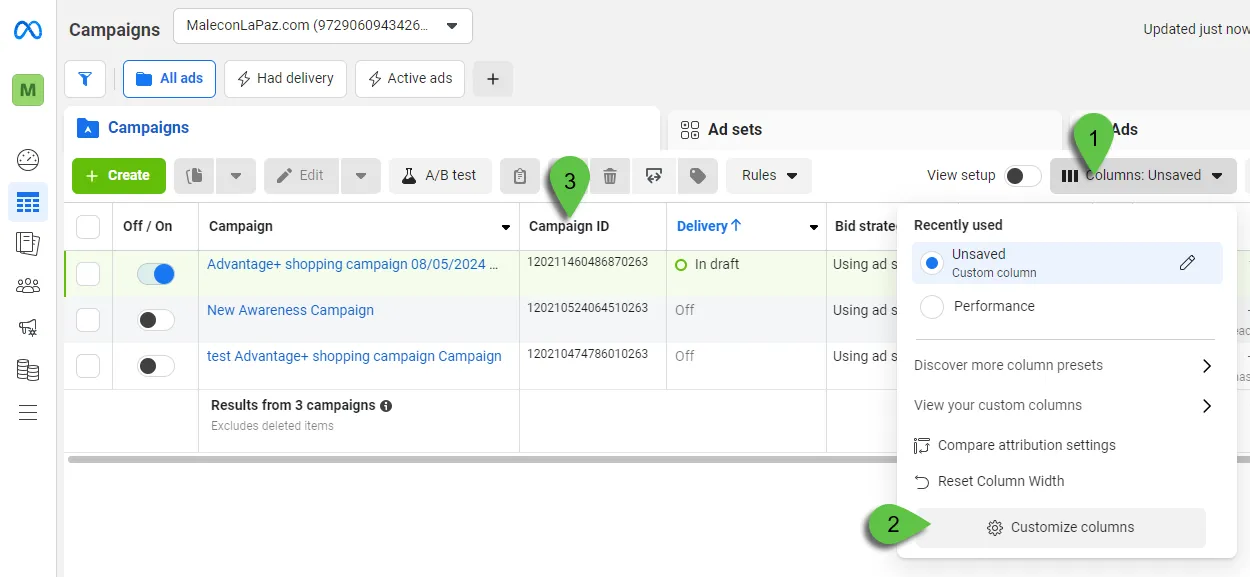
In AnyTrack Campaign Report:
- Click the Display Adset Names/Ids selector from the Settings menu
- Use the search box to find the Campaign ID
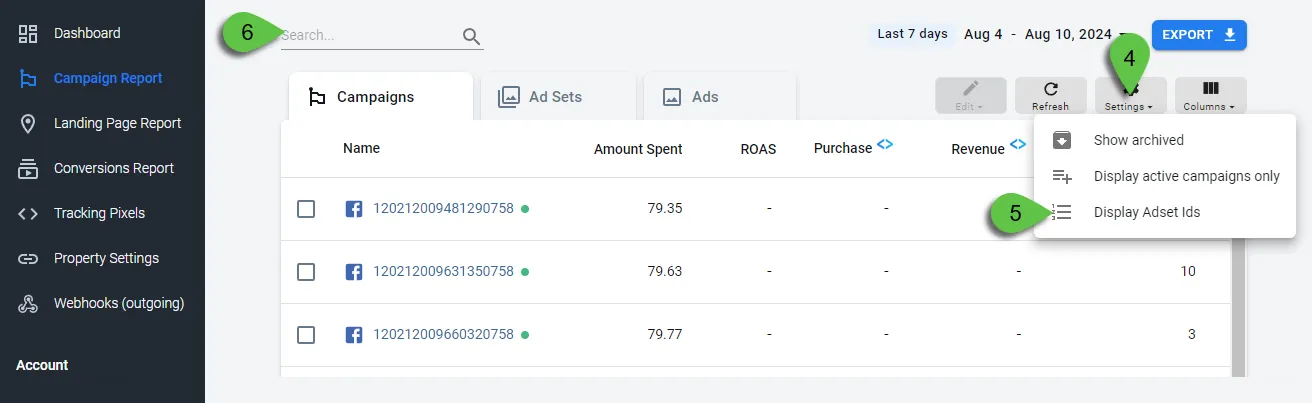
Related Troubleshooting Resources
Section titled “Related Troubleshooting Resources”Depending on your issue, these specialized guides may help:
- Event Match Quality Issues - Low EMQ scores, missing parameters, data quality
- UTM Tracking Template Problems - Red/yellow marks in verification, template errors
- Advanced Configuration Issues - Event mapping, Catch-All mode, custom audiences, UID parameters
- Business Manager Permissions - Access issues, missing permissions, asset configuration
- Install AnyTrack Tag - Get the AnyTrack Tag live on your site
- Ad Platforms Attribution - How attribution and reporting delays work
- Event Mapping - Map conversions to ad platform events
Frequently Asked Questions
FAQ was last reviewed on 2026-07-25
Why does my Facebook Ads account get disconnected?
Why do I not see test results in Meta Events Manager?
Why don't I see all my campaigns in the AnyTrack campaign report?
What does 'Ignoring ads found under other pixels' mean in Verify Ads Settings?
Can I connect multiple Meta Pixels to the same property?
If I have several pixels in my Meta account, does AnyTrack automatically use all of them?
- In AnyTrack, navigate to Tracking Pixels and click Connect Tag.
- Follow the prompts to authenticate your Facebook account and select the correct ad account and pixel.
- Enable the Conversion API (server-to-server tracking) slider and save changes.
- Install the UTM Tracking Template on the campaigns using that pixel, then run Verify Ads Settings for that Meta Pixel.
I don't see offline conversion events, why?
Can I use AnyTrack's UTM template with another software's parameters?
utm_source. Example: utm_source=facebook&utm_medium=cpc&tw_id={{ad.id}}.