
Integration Catalog
Connect your marketing stack with AnyTrack pre-built integrations. Access conversion sources, affiliate networks, and analytics platforms. Track conversions accurately, model attribution, and optimize ROAS across all your marketing tools.
The AnyTrack Integration Catalog is a directory of pre-built integrations that connect your marketing tools to conversion tracking and attribution modeling. Use it to connect your conversion sources, such as eCommerce platforms and affiliate networks. Ad platforms and Google Analytics 4 connect in Tracking Pixels, not in the Integration Catalog.
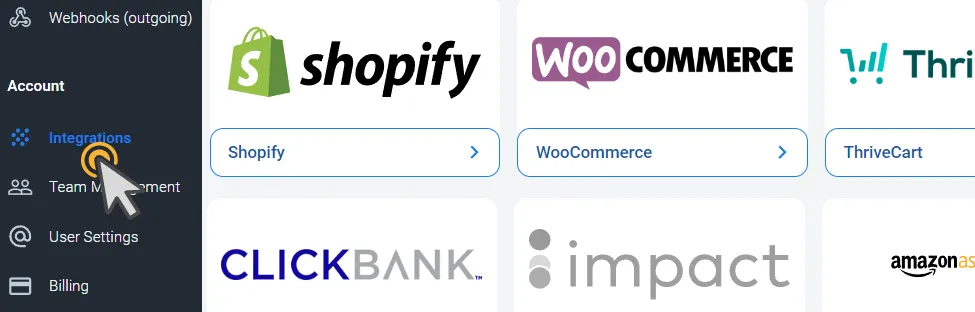
Open the Integration Catalog
Section titled “Open the Integration Catalog”- Click Integrations in the left sidebar. The page lists your installed integrations.
- Click Add Integration. The AnyTrack Integrations Catalog opens.
- Click an integration to view its details and set it up.
Each installed integration has three tabs: Integration, Events Log, and Settings. For the events list, see Events Log.
Getting Started with AnyTrack Integrations
Section titled “Getting Started with AnyTrack Integrations”AnyTrack is a marketing analytics platform designed to track, analyze, and optimize marketing campaigns. Integrations expand its capabilities by connecting your existing marketing stack.
Key Concepts:
- Conversion Tracking — Monitor when visitors complete desired actions (purchases, signups, downloads) on your website
- Attribution Model . A method that determines which marketing touchpoints receive credit for conversions
- ROAS (Return on Ad Spend) . The
revenuegenerated for every dollar spent on advertising
The integrations in the catalog are conversion sources: they send conversions in to AnyTrack. AnyTrack sends those conversions out to your ad platforms through the pixels you connect in Tracking Pixels.
Pre-Built Integrations
Section titled “Pre-Built Integrations”The Integration Catalog offers pre-built integrations for:
- eCommerce platforms (Shopify, WooCommerce)
- Affiliate networks (CJ, Impact, Refersion)
These integrations let you use conversion tracking and attribution modeling regardless of your marketing tools.
To connect Meta Ads, Google Ads, TikTok Ads, or Google Analytics 4, open Tracking Pixels instead. Sending conversions to ad platforms requires the Starter plan or higher. Google Analytics 4 requires the Personal plan or higher.
Key Benefits
Section titled “Key Benefits”Quick Setup . Connect your accounts in minutes without coding or complex configuration.
Accurate Data . Integrations keep conversion data consistent across your marketing stack.
Flexible Options . Choose integrations that fit your needs and add more as your marketing evolves.
Better Reporting . Combine data from multiple platforms to see which campaigns drive actual revenue.
Monitor Conversions in the Events Log
Section titled “Monitor Conversions in the Events Log”After your integration begins collecting conversions, view them in the Events Log. It displays the timestamp, status, name, and value of each conversion event (a user action like a purchase or signup), plus the raw payload (the complete data sent from your conversion source). See the Events Log guide.
Frequently Asked Questions
FAQ was last reviewed on 2026-10-28
How do I integrate a platform that is not listed?
Can I connect any affiliate network running on EverFlow software?
Can I integrate without technical knowledge?
How do I request a new integration?
Next Steps
Section titled “Next Steps”Explore the AnyTrack Integration Catalog to find and connect the platforms you use.