
Advertising Integrations
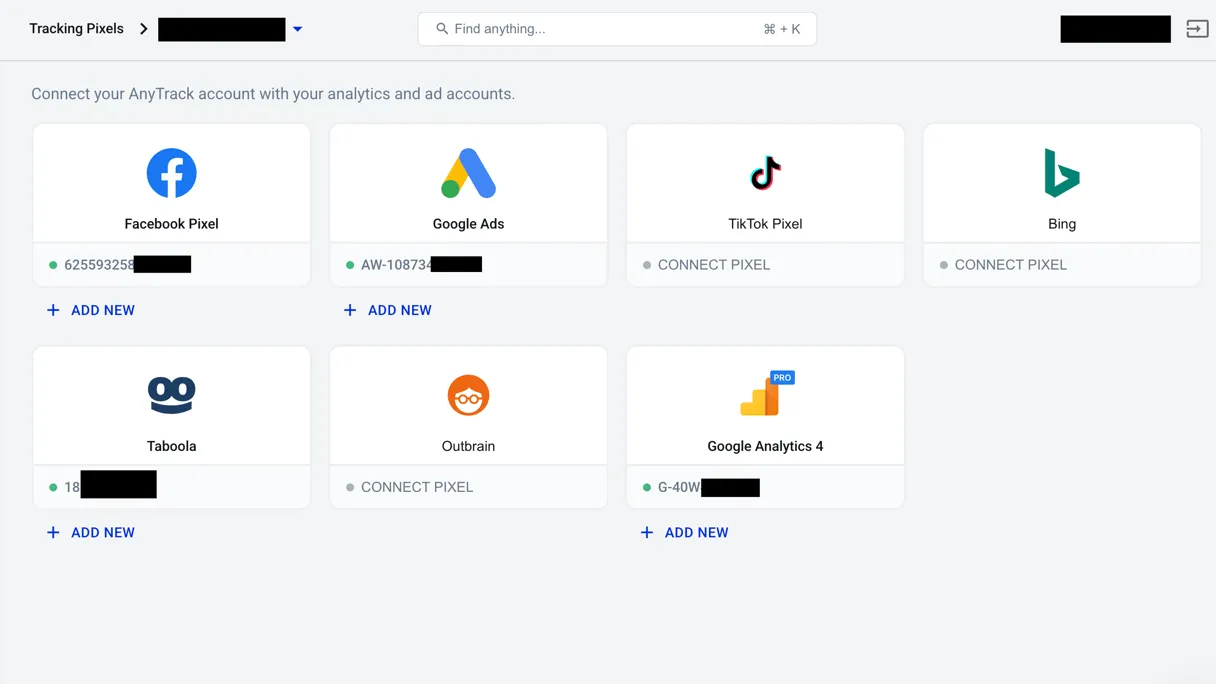
Connect Advertisings | AnyTrack with AnyTrack to enable Conversion API tracking and campaign reporting. Send server-side conversion data for better ad optimization and accurate attribution using both client-side JavaScript Tag and server-side API.
AnyTrack simplifies advertising data collection by automating event tracking across all your ad Tracking Tags using both client-side JavaScript tags and server-side APIs. This guide explains how AnyTrack orchestrates your advertising data to maximize conversion tracking accuracy.
How AnyTrack Works
Section titled “How AnyTrack Works”Data Collection
Section titled “Data Collection”AnyTrack automatically collects first-party data including user sessions, cookies, campaign-specific parameters, and key performance metrics. This gives you a complete view of your customer journey.
Automatic Event Tracking
Section titled “Automatic Event Tracking”Track critical user interactions automatically without manual configuration. AnyTrack collects:
- User engagements and interactions
- Complete eCommerce checkout flows
- Product clicks and views
- Form submissions and leads
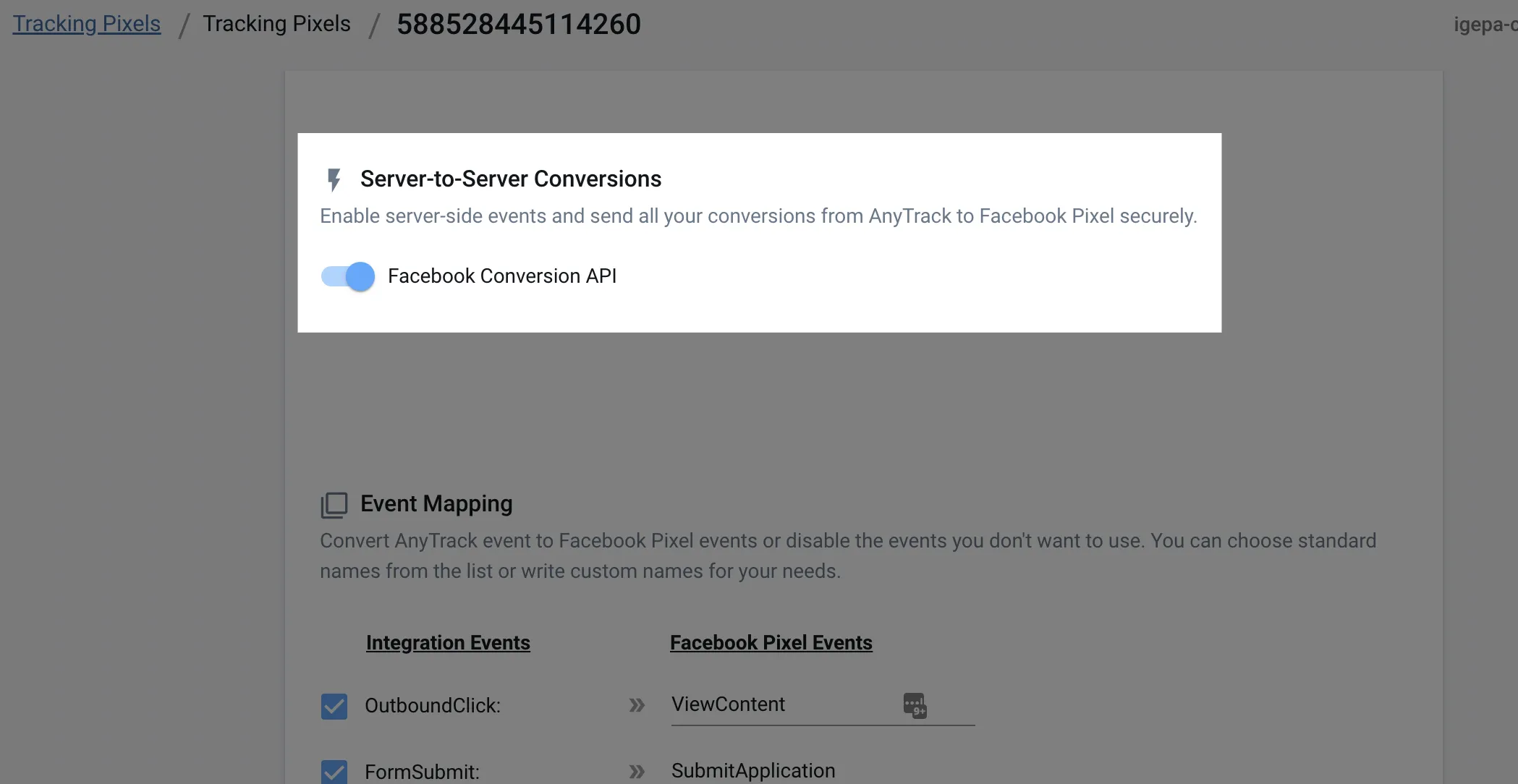
Server-Side Conversion API
Section titled “Server-Side Conversion API”Server-side tracking bypasses ad blockers and browser limitations, ensuring conversion data reaches ad platforms reliably. Essential for:
- Lead generation campaigns
- eCommerce funnels with complex sales cycles
- Recurring subscriptions and transactions
- Affiliate marketing programs
Unified Tag Management
Section titled “Unified Tag Management”AnyTrack acts as a central hub that loads and manages all your ad Tracking Tags and tracking snippets. Instead of manually implementing multiple tracking codes, AnyTrack automatically collects event data and synchronizes it across all your connected ad platforms for smooth audience building.
How It Simplifies Your Workflow
Section titled “How It Simplifies Your Workflow”When you fire an AnyTrack event (like FormSubmit), it automatically ingests the data and distributes it to all connected ad platforms via their Conversion APIs. Maintain one tracking implementation instead of separate snippets for each platform.
Before & After Comparison
Section titled “Before & After Comparison”📛 Before AnyTrack
You had to manually implement and maintain separate tracking code for each ad platform:
fbq('track', 'SubmitApplication', {  content_name: 'Auto Insurance',  content_category: 'Quote',  value: 40.00,  currency: 'USD'});
gtag('event', 'FormSubmit', {  'send_to': 'AW-CONVERSION_ID/AW-CONVERSION_LABEL',  'value': 40.00,  'currency': 'USD'});
✅ Now fire only the AnyTrack snippet, which automatically sends corresponding events via the Conversion API to all connected ad platforms.
AnyTrack Event Snippet 👇
Section titled “AnyTrack Event Snippet 👇”var click_id = AnyTrack('trigger', 'FormSubmit', { value: 40.00, currency: 'USD', label: 'Auto Insurance', form: 'Quote'});Event Mapping
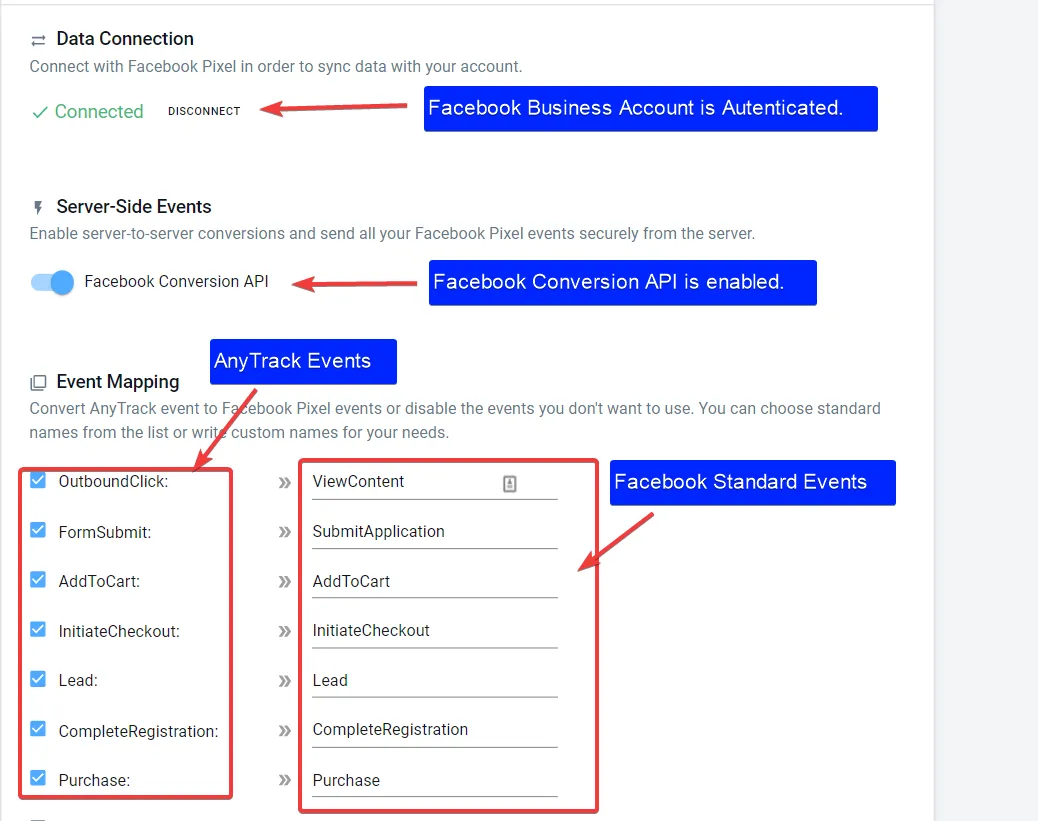
Section titled “Event Mapping”Map custom events to Facebook Ads, Google Ads, or any ad platform’s standard events or custom event names. For a coaching business with a long sales cycle, track key lifecycle events like:
FirstMeetingDemoBookingFirstPurchaseUpsell
Predefined UTM Tracking Templates
Section titled “Predefined UTM Tracking Templates”Use pre-built tracking URL templates that combine standard UTM parameters with platform-specific variables for complete campaign tracking.
utm_source=facebook&utm_medium=cpc&utm_content={{adset.name}}&utm_campaign={{campaign.name}}&utm_term={{ad.name}}&utm_id={{campaign.id}}&ad_id={{ad.id}}&adset_id={{adset.id}}&placement={{placement}}&site_source_name={{site_source_name}}Custom Conversion Goals
Section titled “Custom Conversion Goals”Create conversion goals tailored to your specific business objectives, then automatically synchronize them across all your advertising channels for consistent reporting and optimization.
Enhanced Audience Building
Section titled “Enhanced Audience Building”Use both on-site and offline conversion data to build sophisticated audiences. Create cross-network audience segments and apply any marketing data across multiple ad platforms for more effective targeting.
Platform-Specific Settings
Section titled “Platform-Specific Settings”Access advanced configurations for specific platforms including Google Analytics Enhanced eCommerce tracking, Google Ads Enhanced Conversions, and Facebook Custom Conversions.