
HubSpot Integration
Get answers about index. Understand the key concepts and how they apply to your conversion tracking setup for optimal performance and tracking accuracy.
What is the HubSpot Integration?
Section titled “What is the HubSpot Integration?”The HubSpot integration connects your HubSpot CRM with AnyTrack’s attribution platform. This native integration automatically tracks form submissions, contact creation, meeting bookings, and deal progression without requiring third-party tools like Zapier.
Key capabilities:
- Track HubSpot form submissions as conversion events
- Monitor contact lifecycle stages and deal progression
- Attribute conversions to specific ad campaigns and traffic sources
- Pass first-party data between platforms for improved targeting
Why Use This Integration?
Section titled “Why Use This Integration?”Improve Attribution Accuracy Connect customer actions in HubSpot directly to your advertising campaigns. See which ads, keywords, and channels drive actual leads and customers.
Simplify Data Flow Eliminate manual data exports and imports. Customer interactions flow automatically from HubSpot to your advertising platforms for better targeting and optimization.
Optimize Marketing Spend Make data-driven decisions about budget allocation by understanding which campaigns generate the highest-value leads and customers.
How to Set Up the Integration
Section titled “How to Set Up the Integration”Step 1: Install AnyTrack Tracking
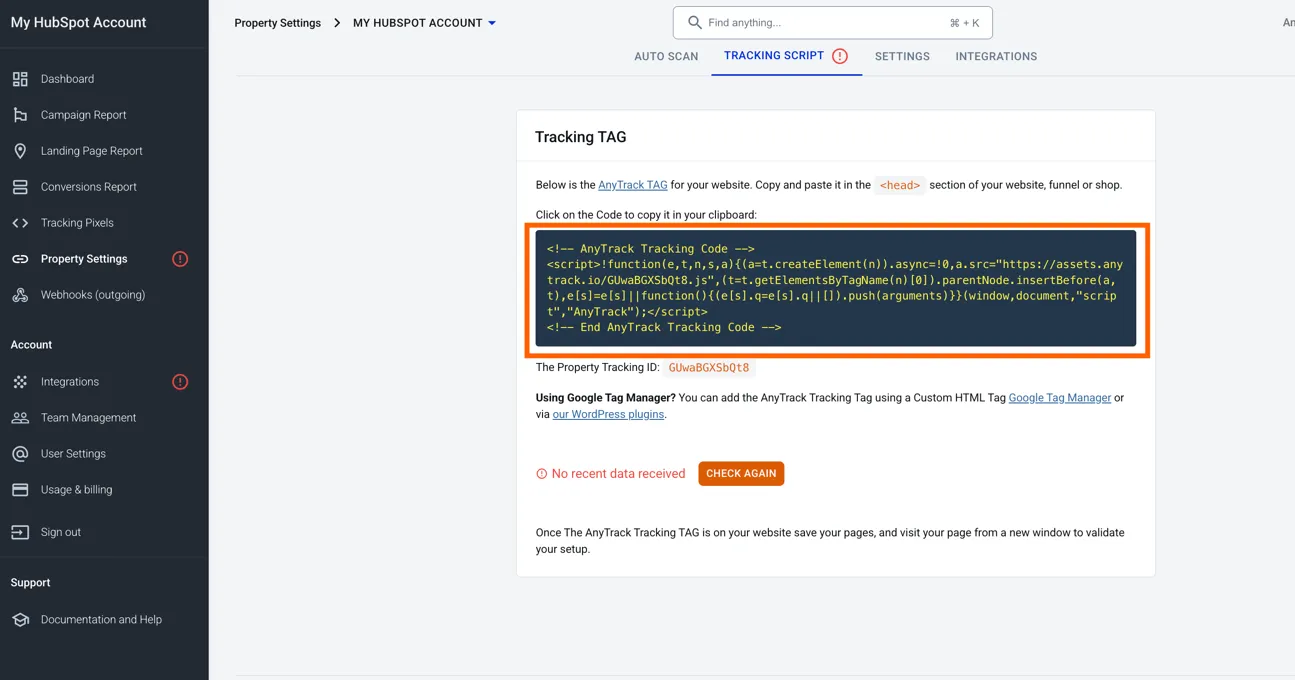
Section titled “Step 1: Install AnyTrack Tracking”Before connecting HubSpot, install the AnyTrack tracking tag (a JavaScript code snippet that collects visitor data) on your website.
- Copy your tracking tag from the AnyTrack dashboard
- Add the tracking tag to HubSpot pages
- In HubSpot, go to Settings > Tools > Content > Pages
- Paste the AnyTrack tracking tag in the header section
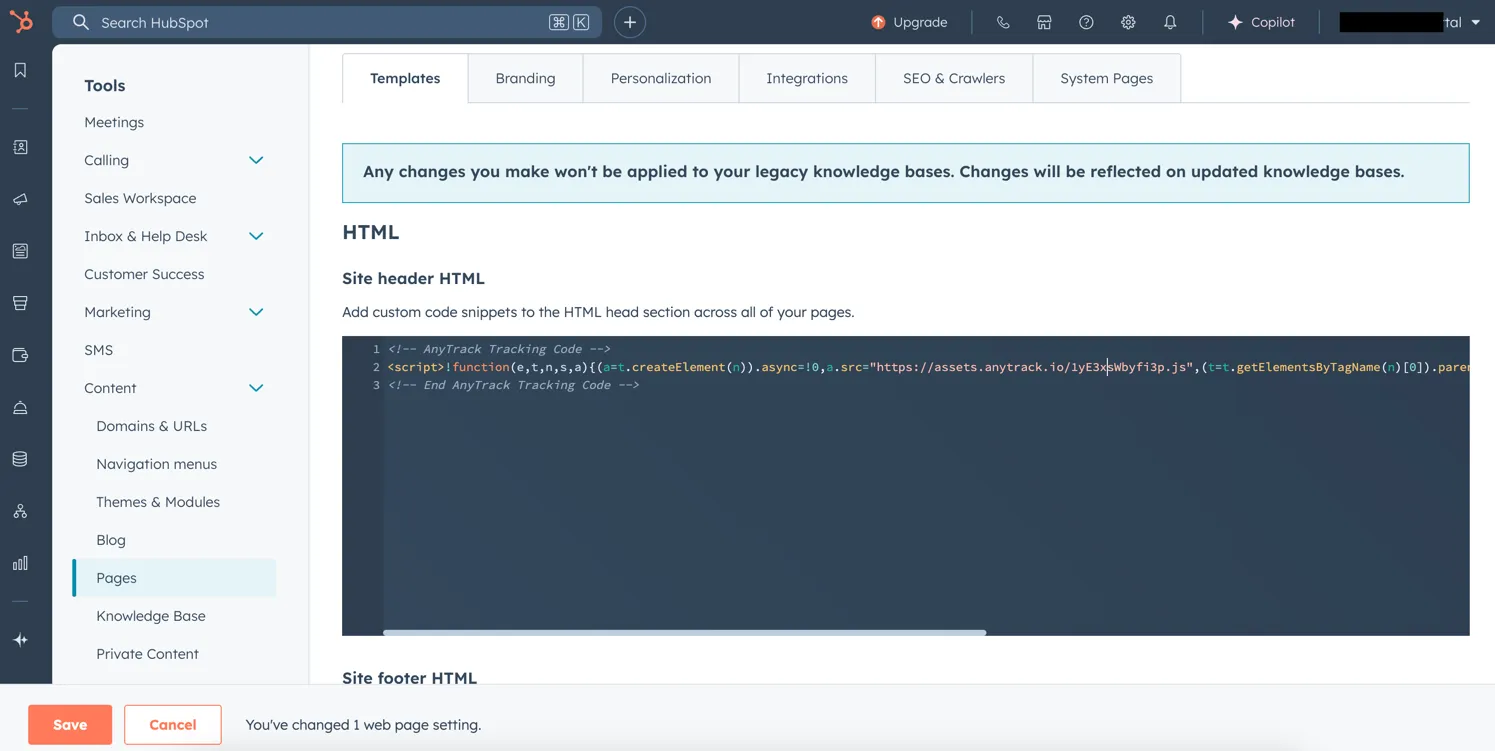
- Click Save
Step 2: Connect HubSpot to AnyTrack
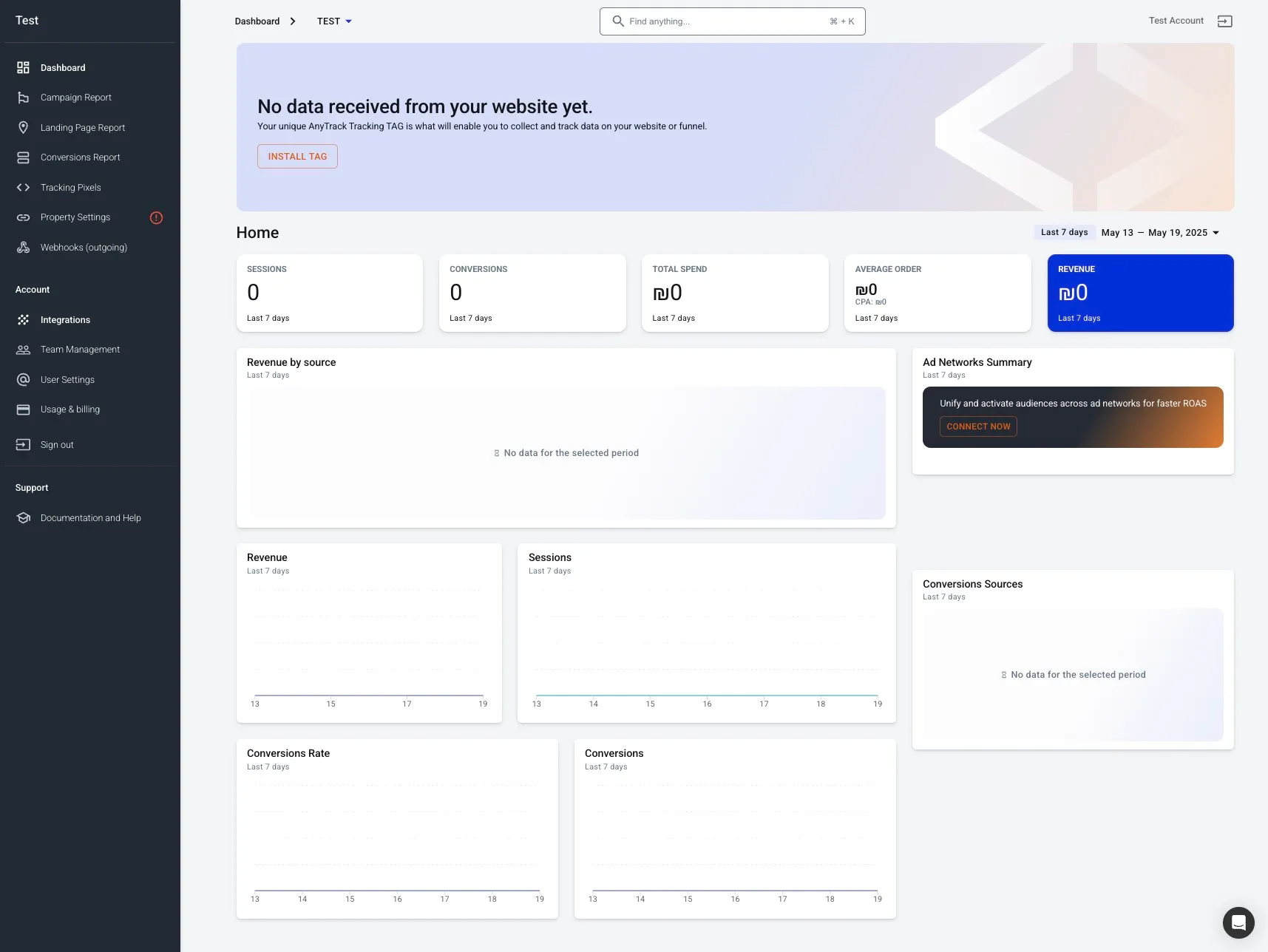
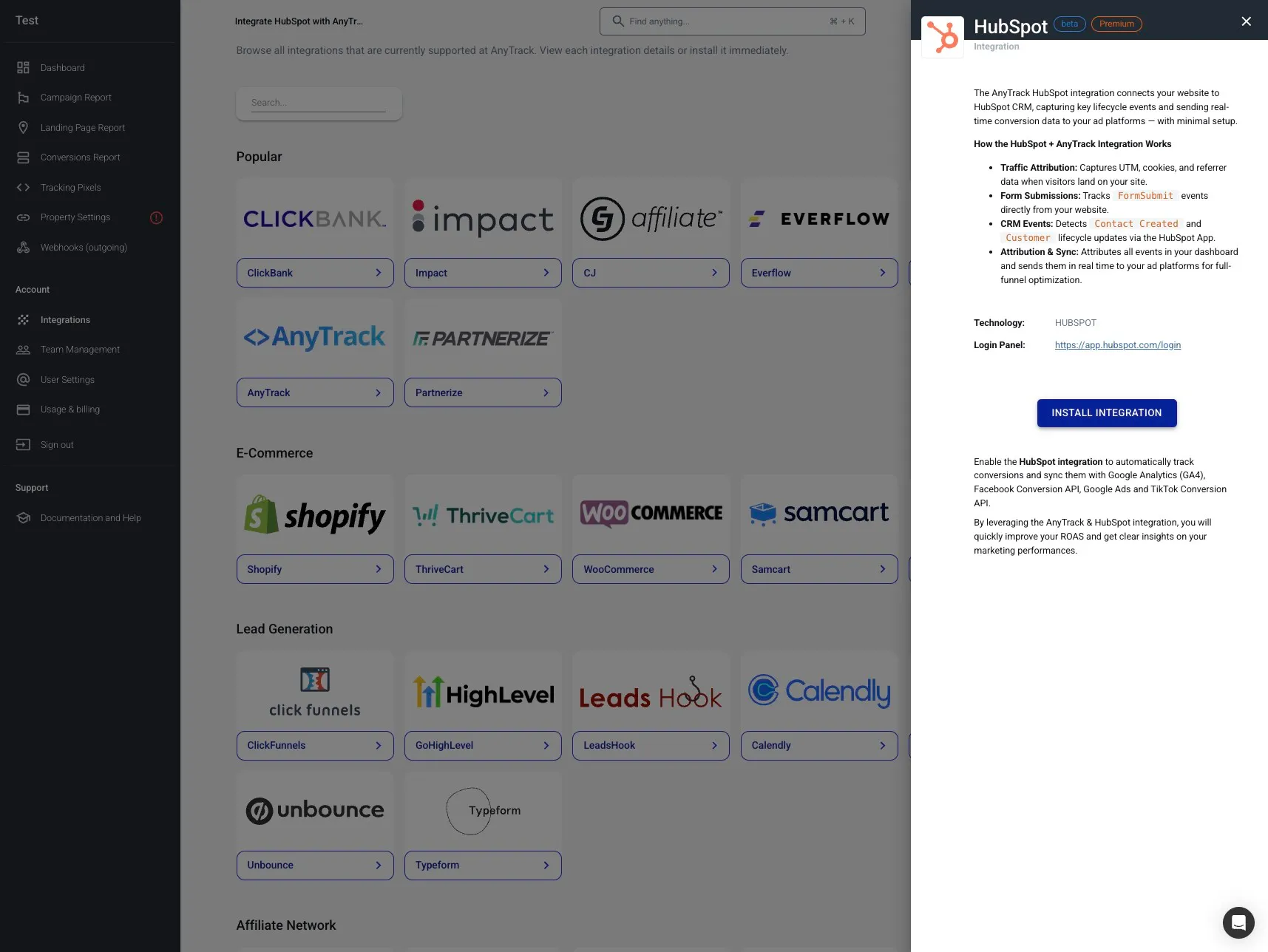
Section titled “Step 2: Connect HubSpot to AnyTrack”- Navigate to the Integration catalog in your AnyTrack dashboard
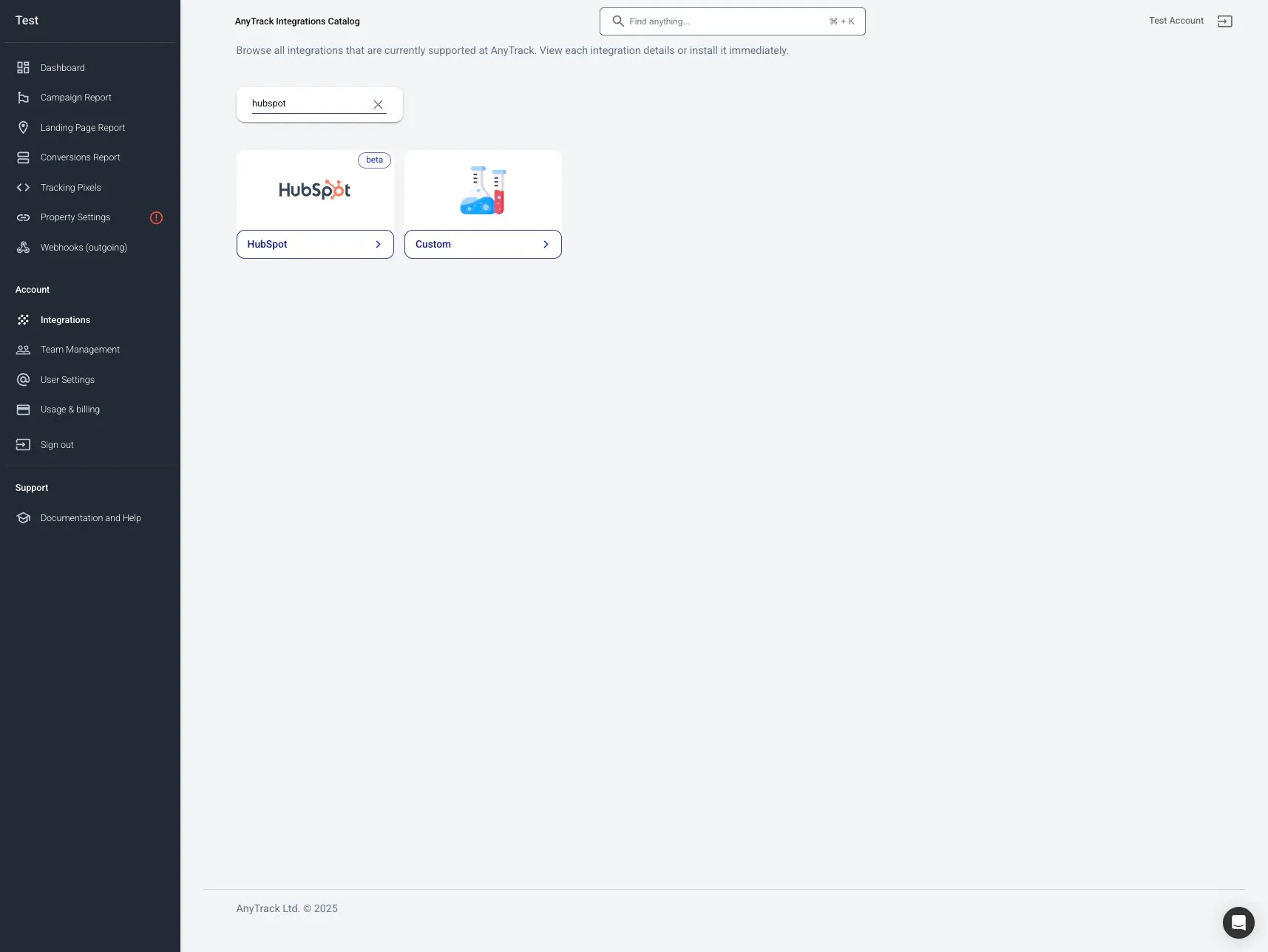
- Search for HubSpot and click the HubSpot card
- Click Install Integration
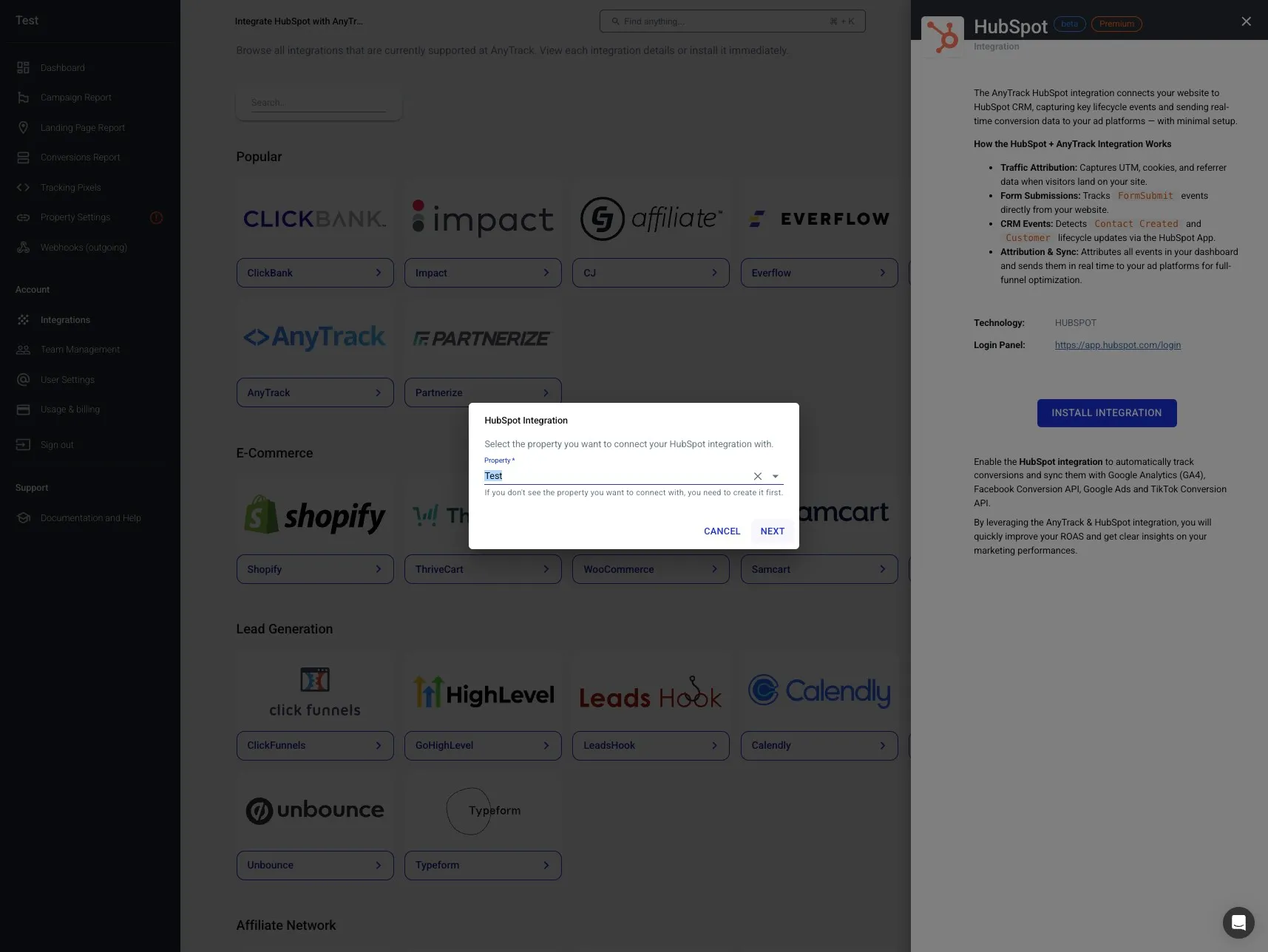
- Select your AnyTrack property (the website/domain you’re tracking) and click Next
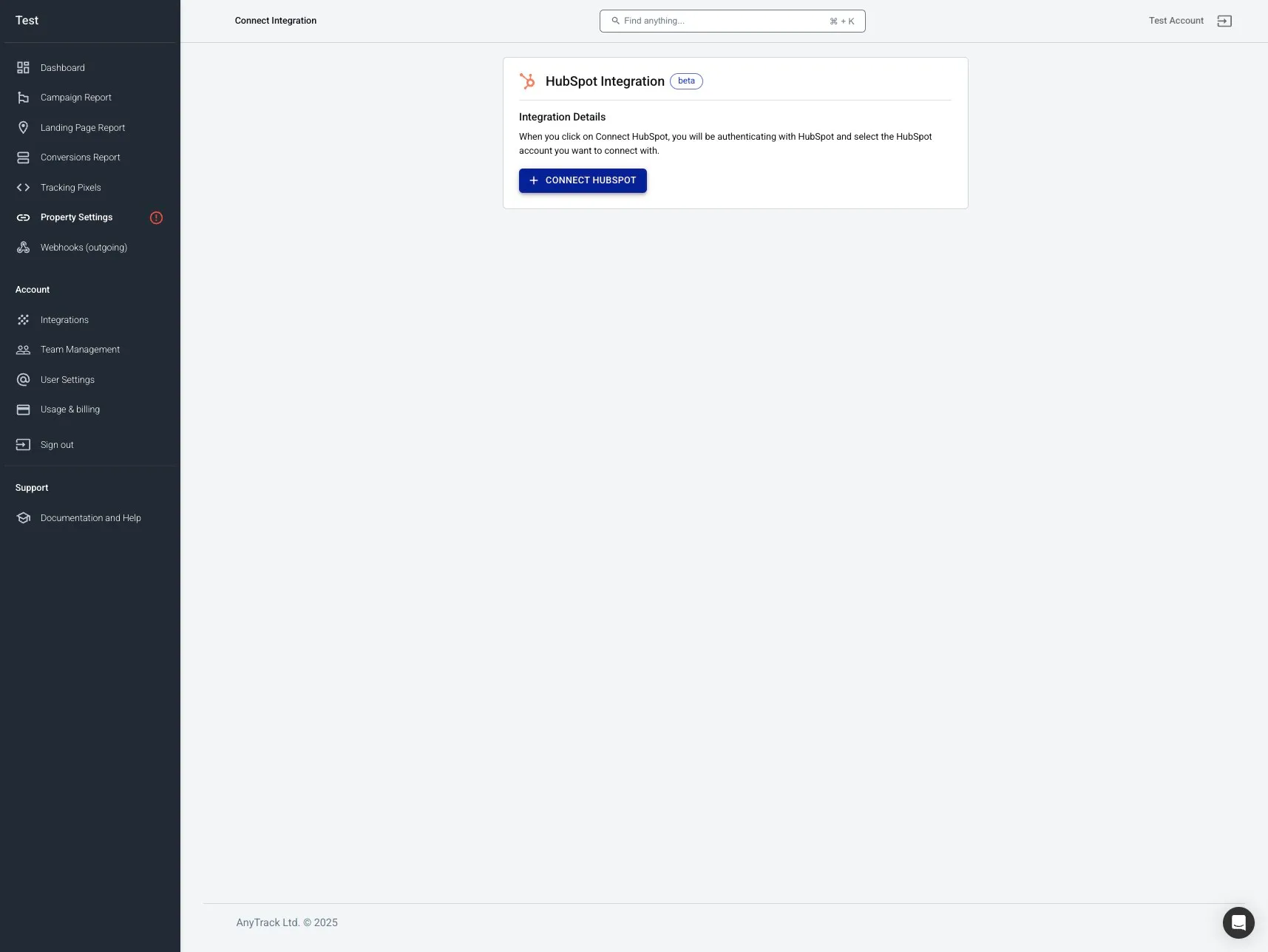
- Click Connect HubSpot to authenticate your account
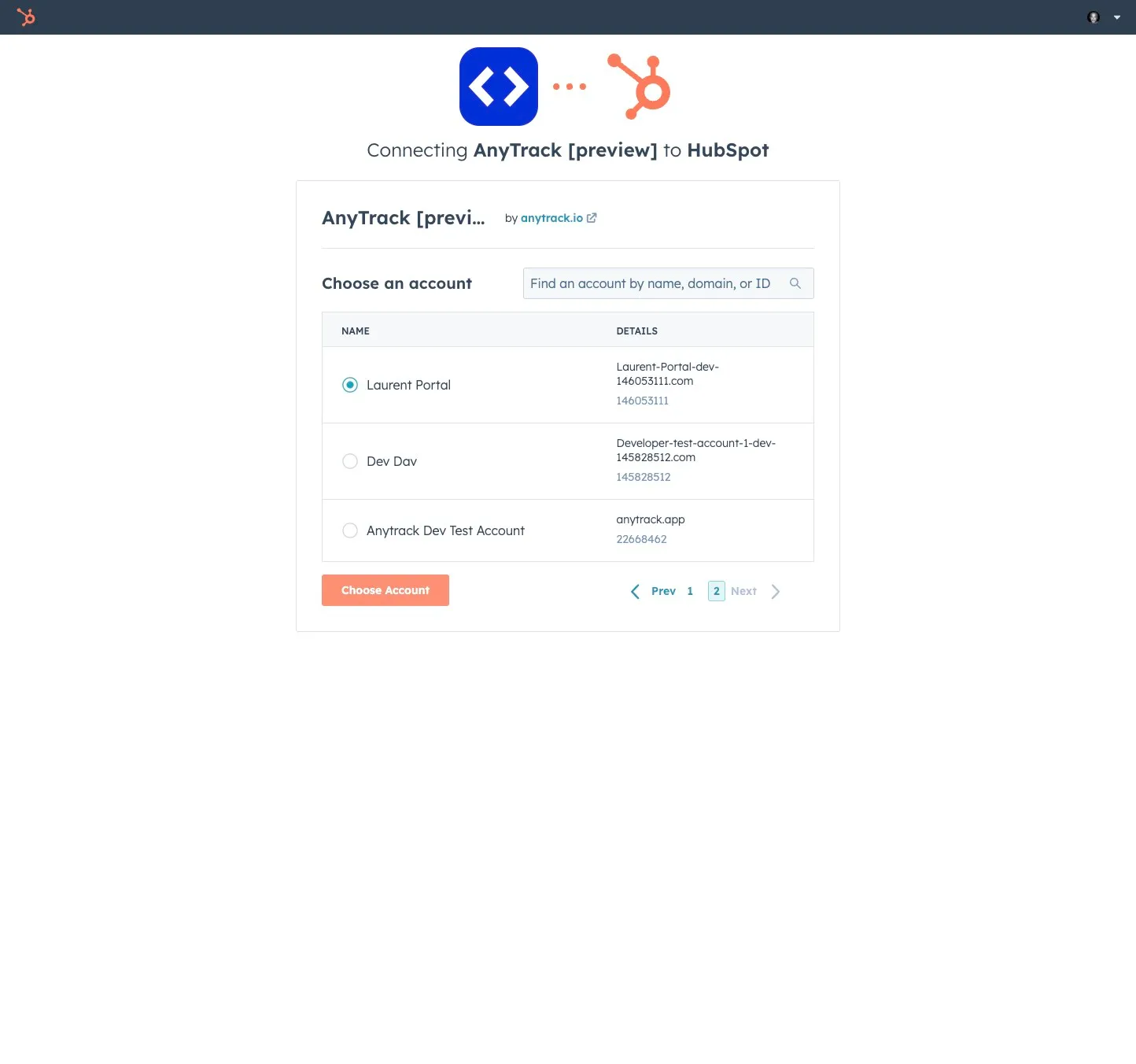
- Select your HubSpot account and click Choose Account
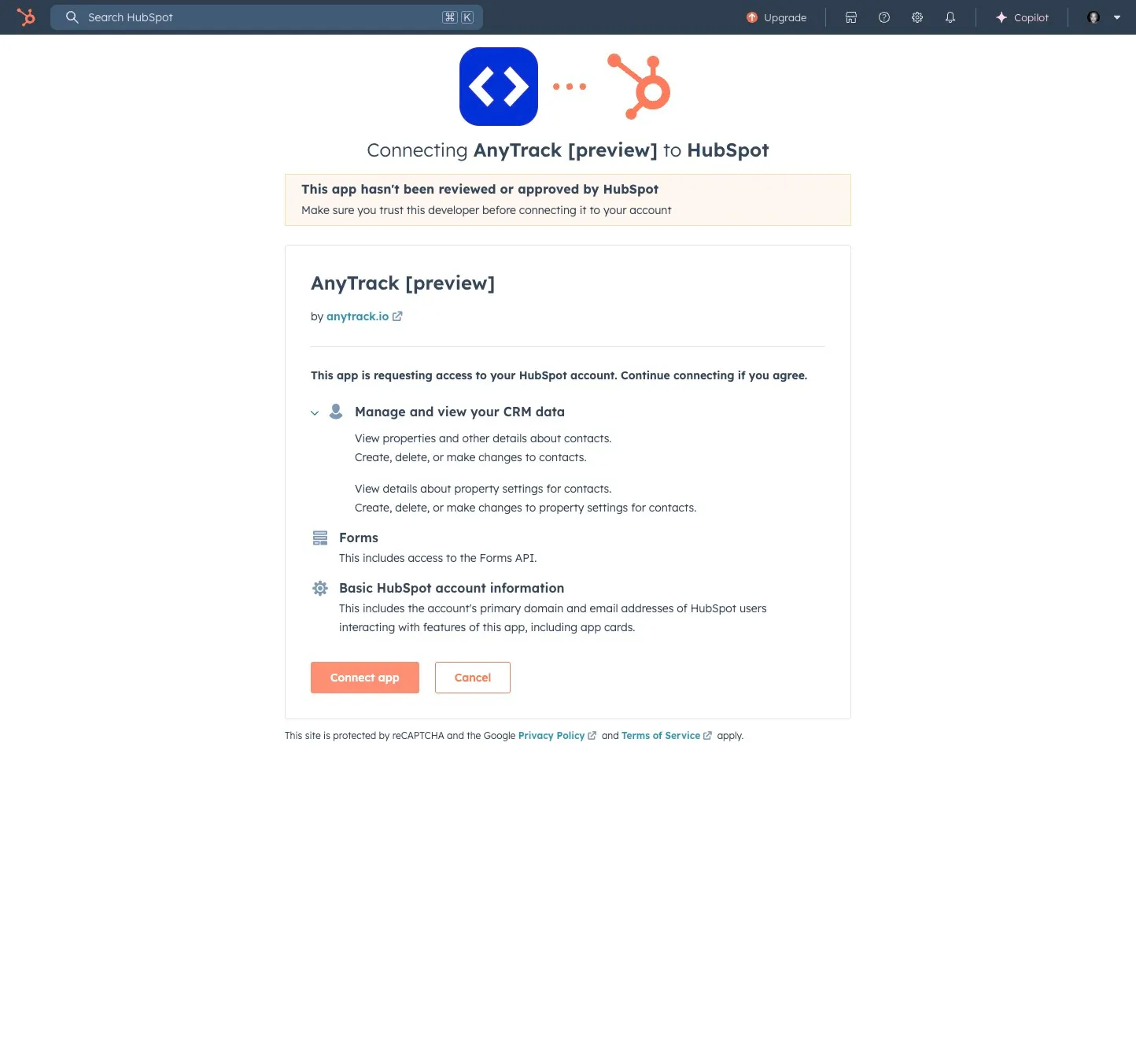
- Review the permissions AnyTrack needs and click Connect App
- Click Save to complete the connection
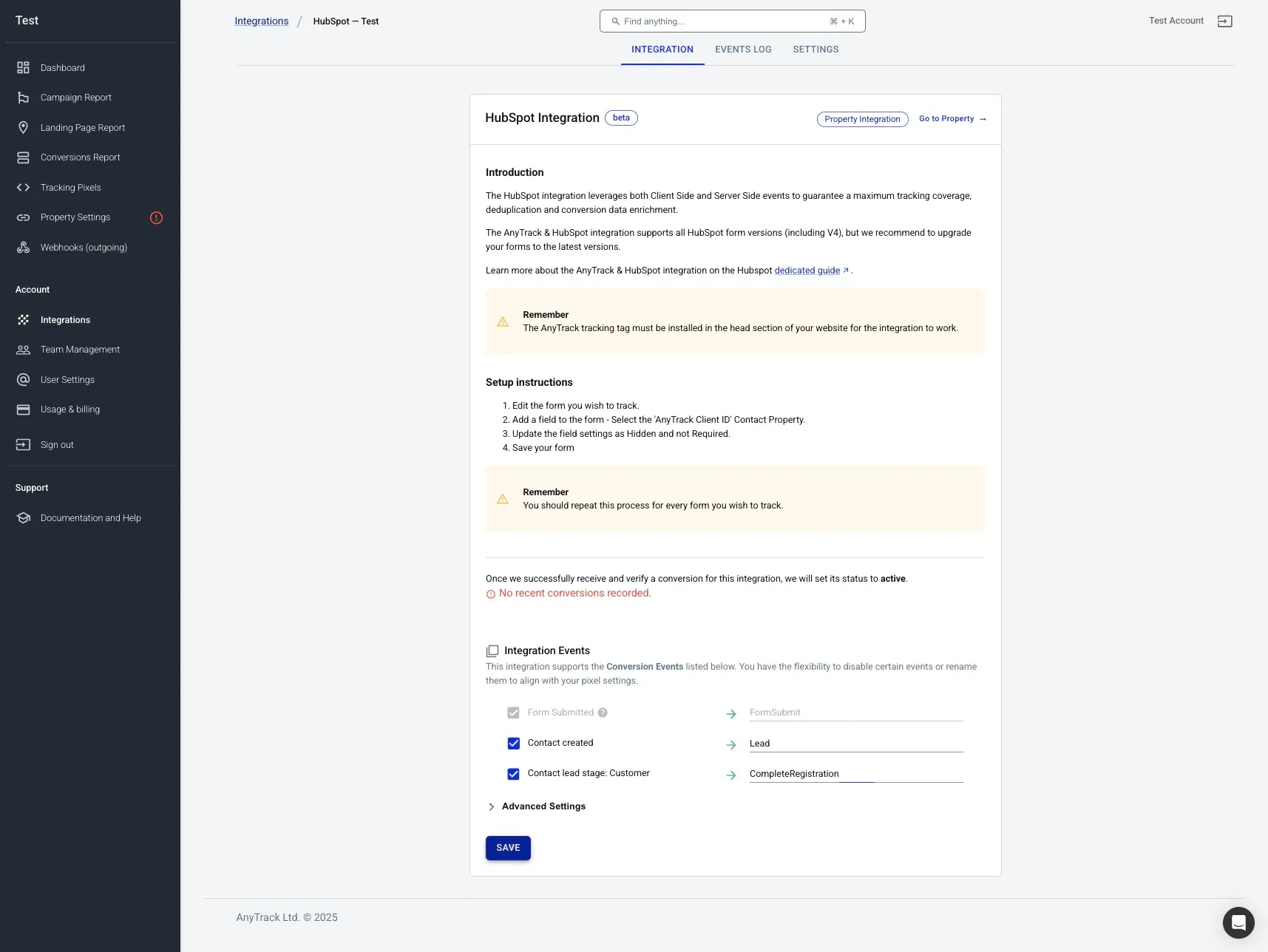
Step 3: Configure Form Tracking
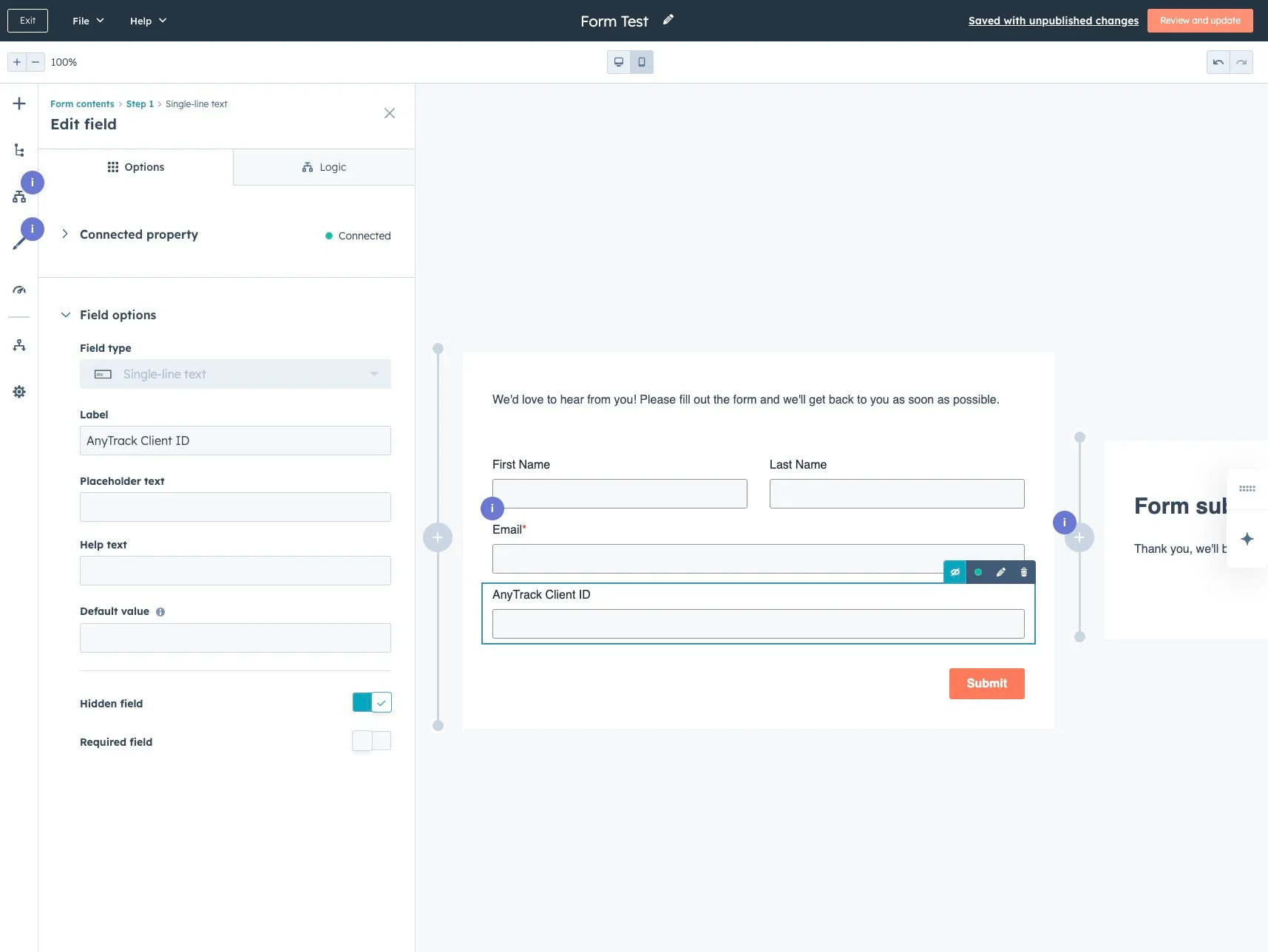
Section titled “Step 3: Configure Form Tracking”After connecting, you need to add a special tracking field to your HubSpot forms.
- Return to HubSpot and edit the form you want to track
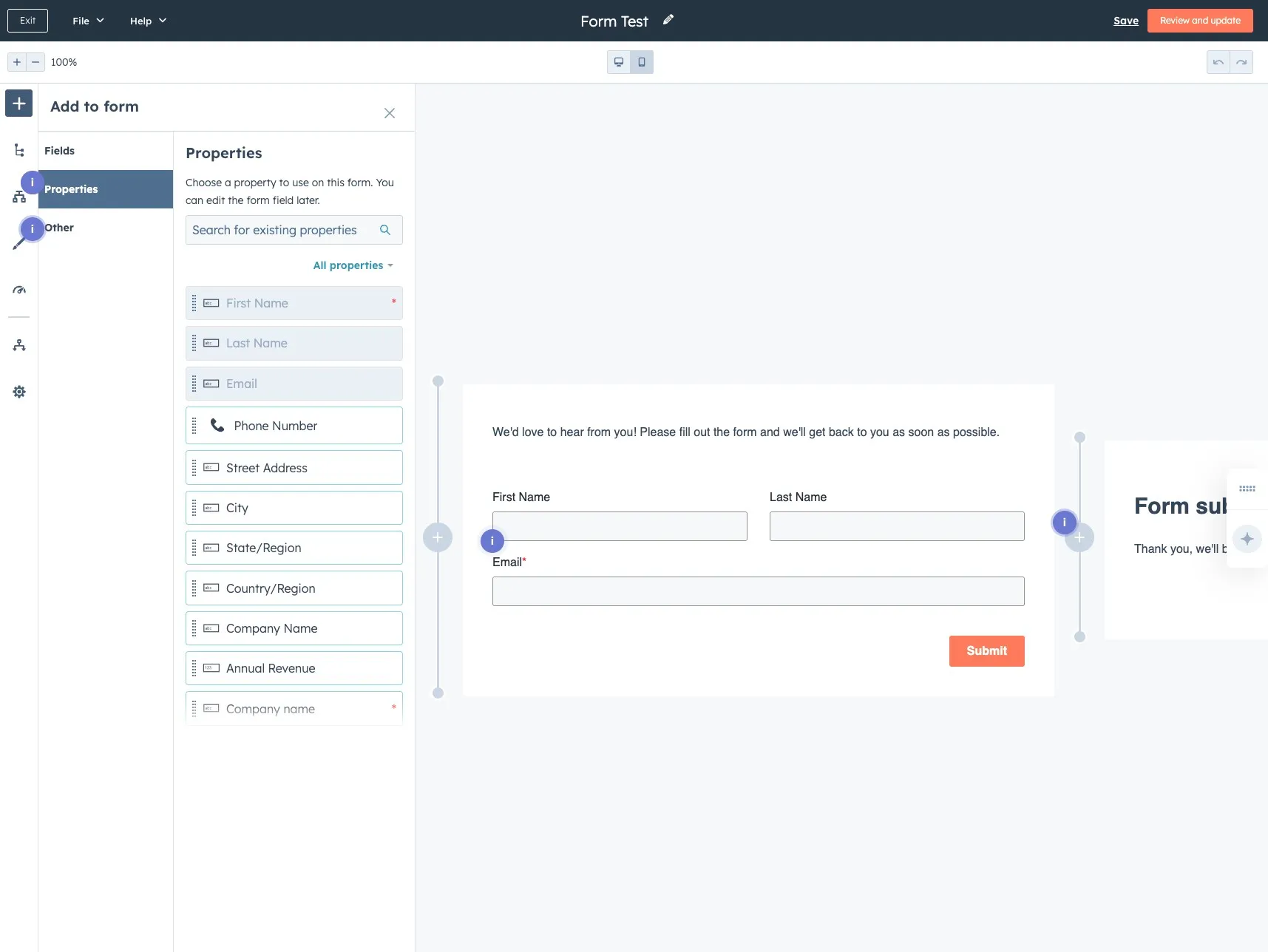
- Add the AnyTrack Click ID field
- Add a new field to your form
- Select the property AnyTrack Click ID
- Set the field as Hidden (visitors won’t see it)

- Click Review and Update to save your form changes
What Events Are Tracked?
Section titled “What Events Are Tracked?”The integration automatically tracks these HubSpot activities:
| Event Type | Trigger | AnyTrack Event Name |
|---|---|---|
| Form Submission | When a HubSpot form is submitted | FormSubmit |
| Contact Created | When a contact is created in HubSpot | Lead |
| Meeting Scheduled | When a contact schedules a meeting | Schedule |
| Lifecycle Stages | Contact reaches “Customer” stage | CompleteRegistration |
| Lead stages | When a contact lead stage is updated | Custom event names |
| Deal Stages | When a deal is created and updated | Custom event names |
Where the Click ID Comes From
Section titled “Where the Click ID Comes From”The native integration attributes leads collected on HubSpot’s own forms automatically — the Tracking Tag stores the Click ID in the AnyTrack Click ID property at session time, and AnyTrack matches it back to the visit.
When the lead is collected somewhere else first — an external form, or a contact pushed in through Zapier or Make — there is no tracked session on the HubSpot side. You have to carry the Click ID into HubSpot yourself, into that same AnyTrack Click ID property. Each source platform exposes the Click ID under its own parameter; map that value into the property:
| Source platform | Click ID parameter on the source | Destination in HubSpot |
|---|---|---|
| Typeform | at_click_id | AnyTrack Click ID property |
| Unbounce | click_id | AnyTrack Click ID property |
| Elementor | _atid | AnyTrack Click ID property |
| Calendly | utm_term or sfid | AnyTrack Click ID property |
| ClickFunnels | click_id | AnyTrack Click ID property |
| LeadsHook | click_id | AnyTrack Click ID property |
| Any standard HTML form | hidden field, value --CLICK-ID-- | AnyTrack Click ID property |
For the full external-form → CRM pattern across every platform, see Pass the Click ID from External Forms to Your CRM.
Related Resources
Section titled “Related Resources”HubSpot Integration - Frequently Asked Questions
FAQ was last reviewed on 2026-07-27