
Gravity Forms
Set up conversion tracking for Gravity Forms submissions with AnyTrack. Use webhooks to track leads, registrations, and form completions across your ad campaigns.
In the next guide, we will learn how to start tracking leads from Gravity via webhook integration.
Why should I connect a webhook and not just track the leads via Javascript code?
-
It’s more accurate - there is no way to have duplications or to fire the event without leaving a real lead.
-
You will be able to collect the values of the lead, like email, phone, and more.
To start tracking your leads from Gravity Forms, you will need the following
Section titled “To start tracking your leads from Gravity Forms, you will need the following”- Gravity account.
- An AnyTrack account with a Personal Plan or higher.
- The AnyTrack Tracking Tag in the head section of your website.
Getting started
Section titled “Getting started”-
Edit the Form you’d like to track.
-
Add a hidden field
- Default value
--CLICK-ID-- - Field Label:
click_id - Enable the option: ALLOW FIELD TO BE POPULATED DYNAMICALLY
- Default value
-
Install the webhook add-on in Gravity. (install the Webhooks add-on)
-
In AnyTrack: Create a custom integration
-
Set the fields value (any dummy value for now.)
In order to add the webhook options to your Gravity form, follow the instructions:
-
Go to Adds-Ons under Forms
-
Activate the Webhooks Add-On
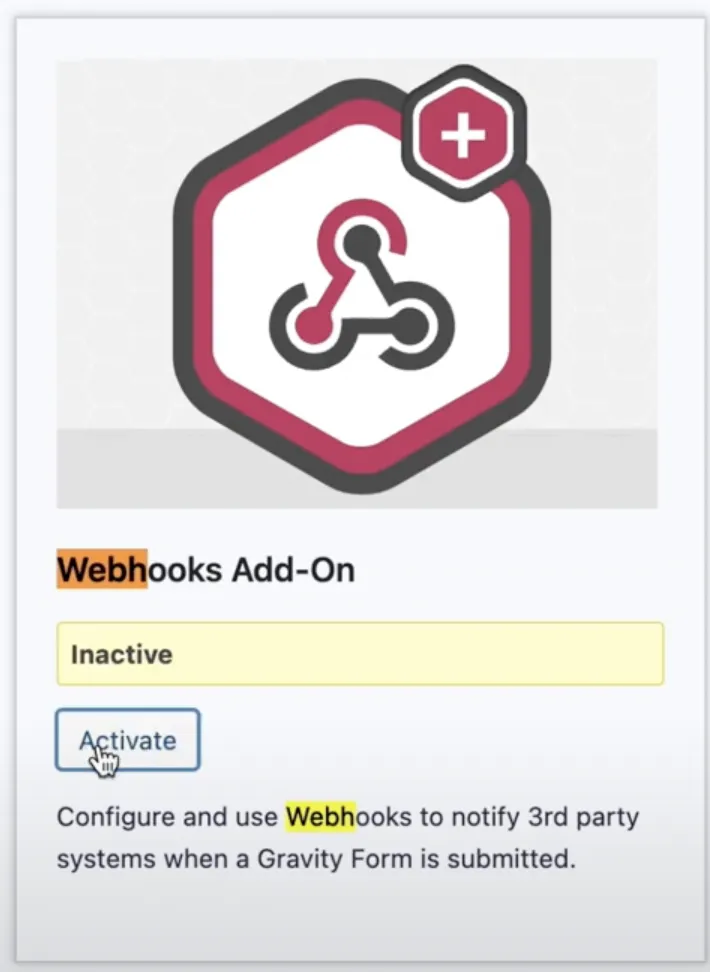
In order to set the webhook follow the instructions:
-
Return to the form
-
Open Settings > Webhooks
-
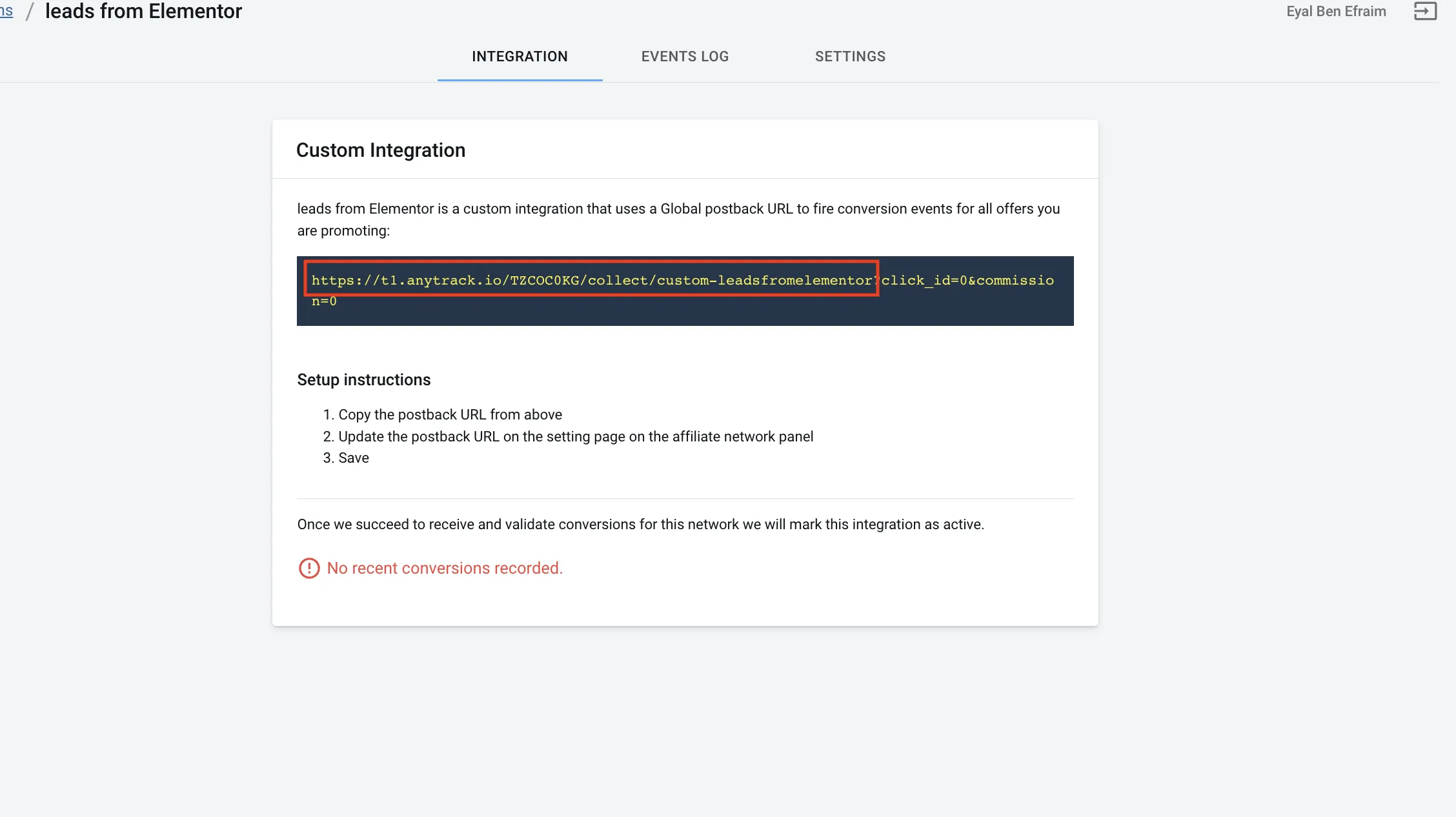
Paste the AnyTrack webhook url.
-
Now map the Keys with the Values collected by gravity forms.
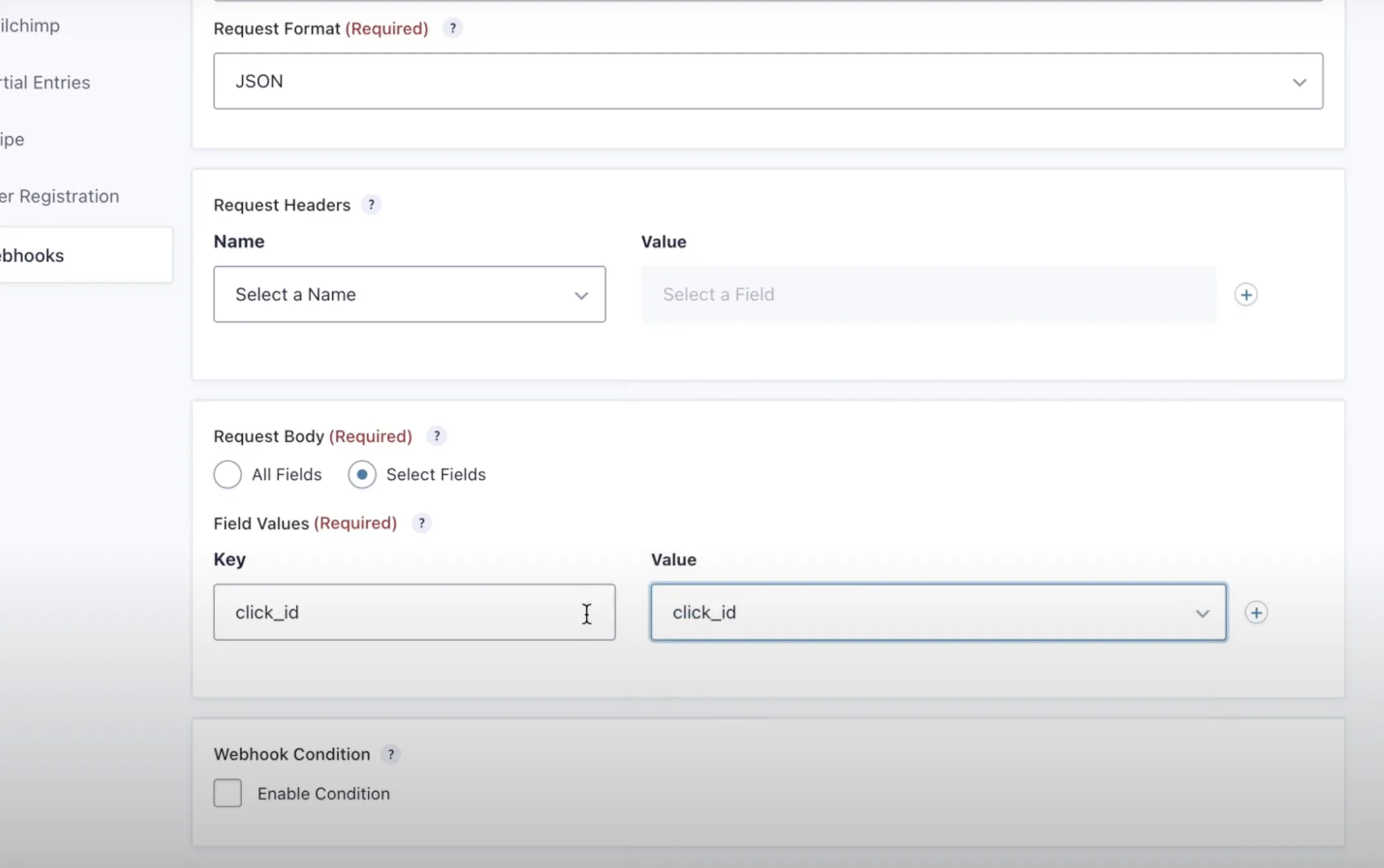
- Save
Your setup is complete.
How to generate a webhook URL in AnyTrack:
Section titled “How to generate a webhook URL in AnyTrack:”Step 1: We have to create a custom integration.
In order to do that, we will go to the integrations section and look for custom:
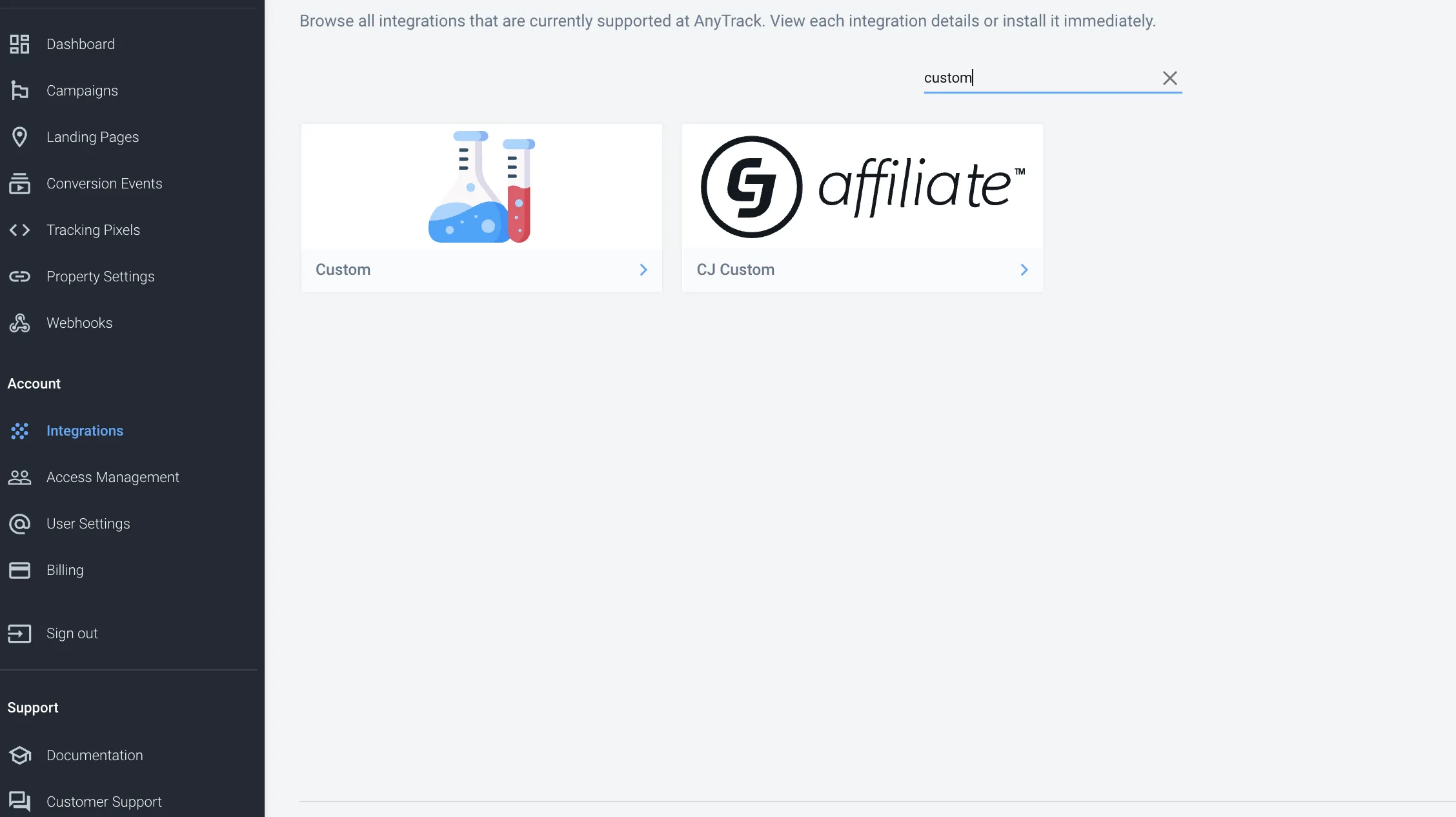
Step 2: Fill in the name of the integration:
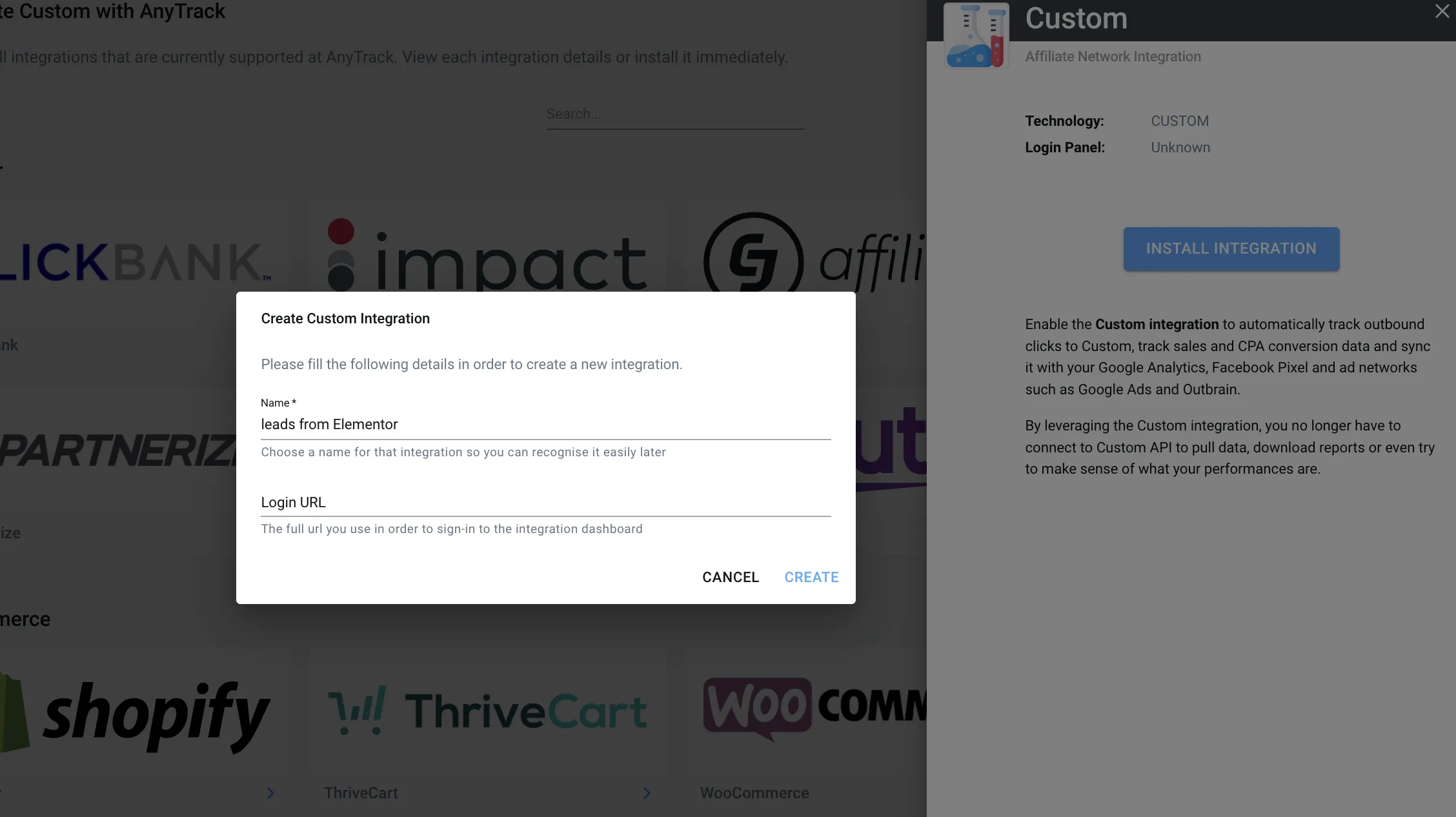
📘 Note
In the custom integration, the click_id parameter is required. Set a dummy value as we’ll remove it later.
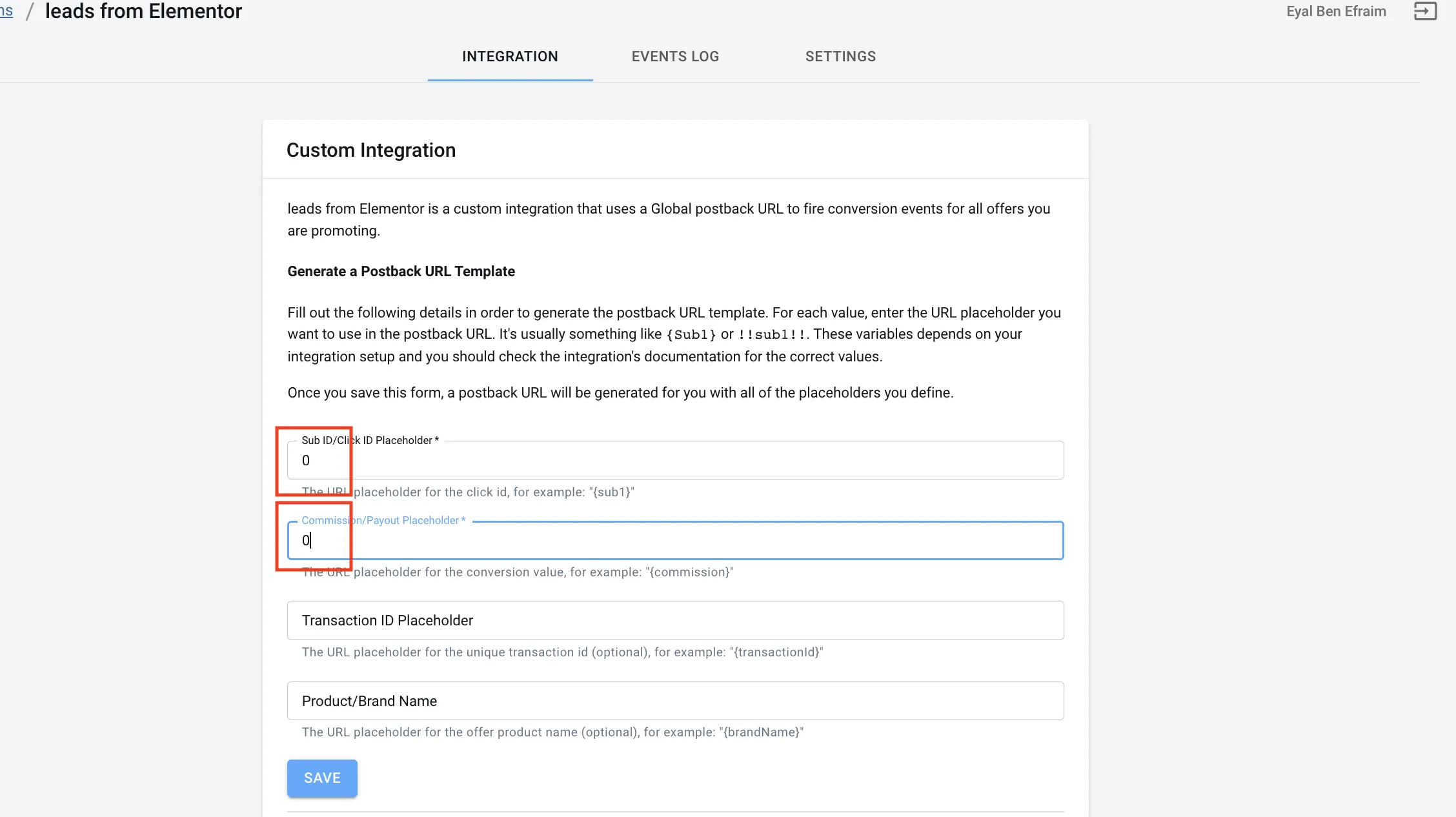
Step 3: After clicking save, we will get our URL. Please copy it until the question mark:
Video Available
Section titled “Video Available”Check out our video below, which shows you how to set up Gravity Forms with AnyTrack.
Related Resources
Section titled “Related Resources”Frequently Asked Questions
FAQ was last reviewed on 2026-07-27
What is the difference between webhook and JavaScript tracking?
Webhook tracking is more accurate because there’s no risk of duplications or events firing without a real lead being created. With webhook integration, you can also collect additional lead data like email and phone.
Can I send additional form data to AnyTrack?
Yes. The more data you send to AnyTrack the better the attribution and match rate will be in your ad platforms. Map any form fields you want to track as parameters in your webhook configuration.
Do I need the Webhooks add-on to set this up?
Yes. You must install the Webhooks add-on in Gravity Forms to configure webhook integrations with AnyTrack.
How do I test my webhook integration?
Trigger a test form submission and check the Events Log of your Custom Integration in AnyTrack to verify the event was received correctly.
What parameters does AnyTrack accept from Gravity Forms?
Refer to the AnyTrack event attributes documentation for the complete list of supported parameters you can map from your Gravity Forms fields.