
Trigger Postbacks Programmatically
" deprecated: false hidden: true metadata: title: "" description: "" robots: index next: description: "
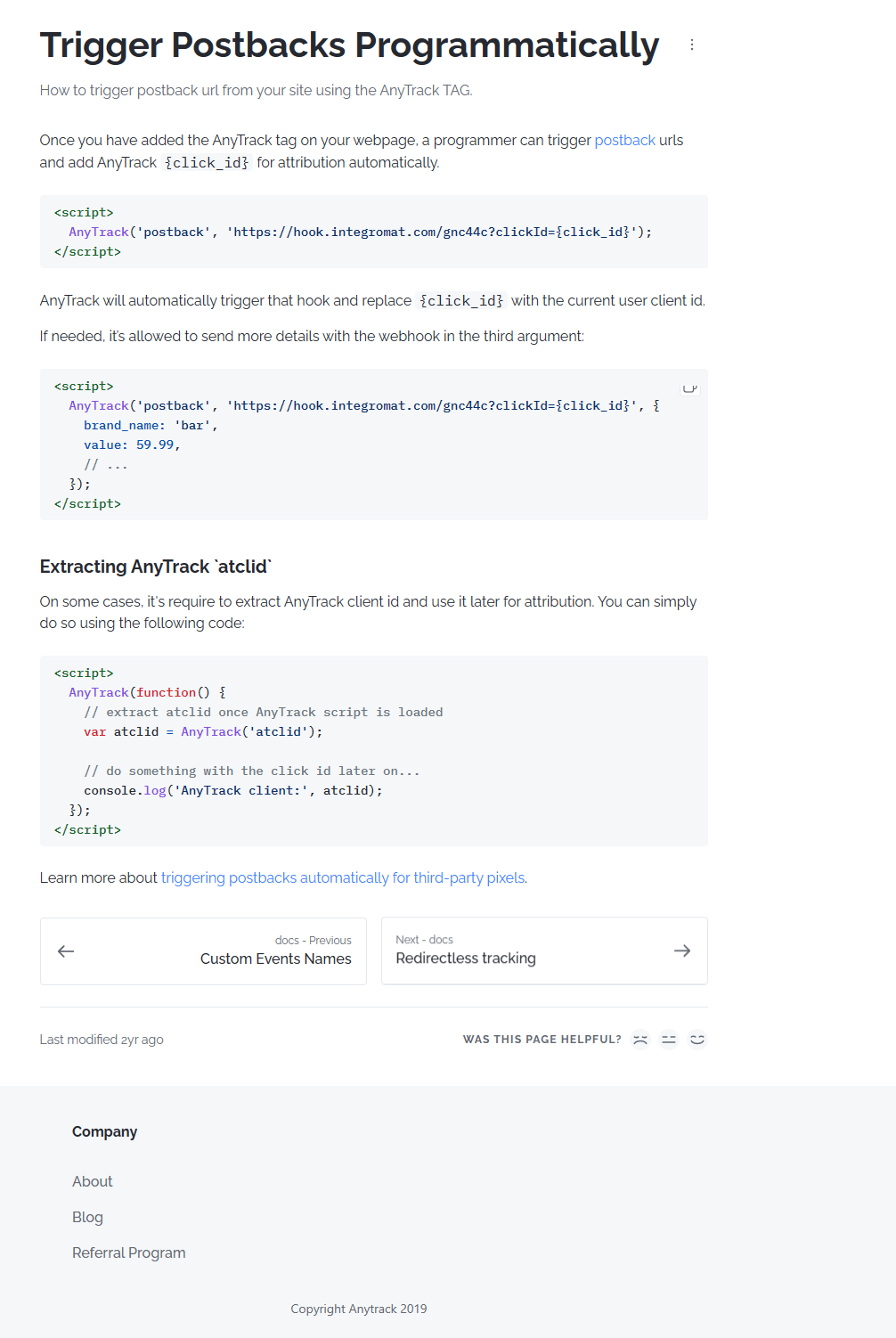
Once you have added the AnyTrack tag on your webpage, a programmer can trigger postback urls and add AnyTrack {click_id} for attribution automatically.
AnyTrack will automatically trigger that hook and replace {click_id} with the current user client id.
If needed, it’s allowed to send more details with the webhook in the third argument:
Extracting AnyTrack atclid
On some cases, it's require to extract AnyTrack client id and use it later for attribution. You can simply do so using the following code:
The event name could be any standard event name AnyTrack supports:
PageView
OutboundClick
FormSubmit
Lead
CompleteRegistration
Purchase
The return argument is the event {click_id} as string (for example: MAbFl0fhrE5EfBu6fX0FnL02LfS), and it can be used later on to attribute conversion events.
Event Properties
If you want to send additional properties along with the event, you can do so following the below format:
All fields are optional, but the data provided can be useful if you want to create your custom audiences with rich content.
Full Code Example\
E-Commerce Support
AnyTrack supports e-commerce parameters to track purchase of specific item ids:
Updated about 3 hours ago